All modulesExample data
Planning & Materials
Follow goods from receipt to shipment
WMS records receiving, putaway, stock, picking, packing and shipping. Every stock change goes through one movement log.
IRISWMS · WarehouseWarehouse A07:50
Warehouse map
Dock 1
A-01-1
A-03-2
B-02-1
Packing
Ramp 2
Documents
- ScheduledRCV-MES-1-2318From order PO-2318
- DonePutawayPallet 1 to A-03-2
- PickingWave W-123 orders · 1 route
- ShippedSH-204GS1 label
MES Production
PO-2318 completedChair-A · 120 pcsReceipt document
RCV-MES-1-2318Created when production ends.
ScheduledFrom MES
Putaway
Pallet 1 to A-03-2The location is shown on the map.Pick wave
W-12 · 3 ordersOne route with three stops.Packed
Carton M chosen
Shipped · SH-204
GS1 labelEPCIS event
Finished production creates a receipt document, status Scheduled.
What it does
- 01
Receipt documents and putaway
Finished production creates a receipt document with status Scheduled. Putaway then sends each pallet to a location.
- 02
Waves, picking, packing
Pick waves group orders. The picker panel shows a route with stops, and WMS chooses the carton when packing.
- 03
GS1 labels and EPCIS
SSCC numbers come from the company prefix. Completed receipts and departing shipments write EPCIS events automatically.
Where the data comes from
- Operators register receipts, putaway, picks, moves and counts on screens or the picker panel.
- Events from other modules: MES production, QMS inspection results, MRP and Procurement orders.
- Data Bridge brings RTLS zones and AGV positions for the live map.
Good to know
- Carrier labels and tracking run in test mode only. Connecting a carrier is separate implementation work.
- WMS does not issue a delivery note or sync stock with an ERP.
- Stock is reserved when a pick list is created. WMS does not reserve against a bill of materials.
Screens from the IRIS demo
Sample data from the IRIS demo factory. Click a screen to enlarge it.
Read more
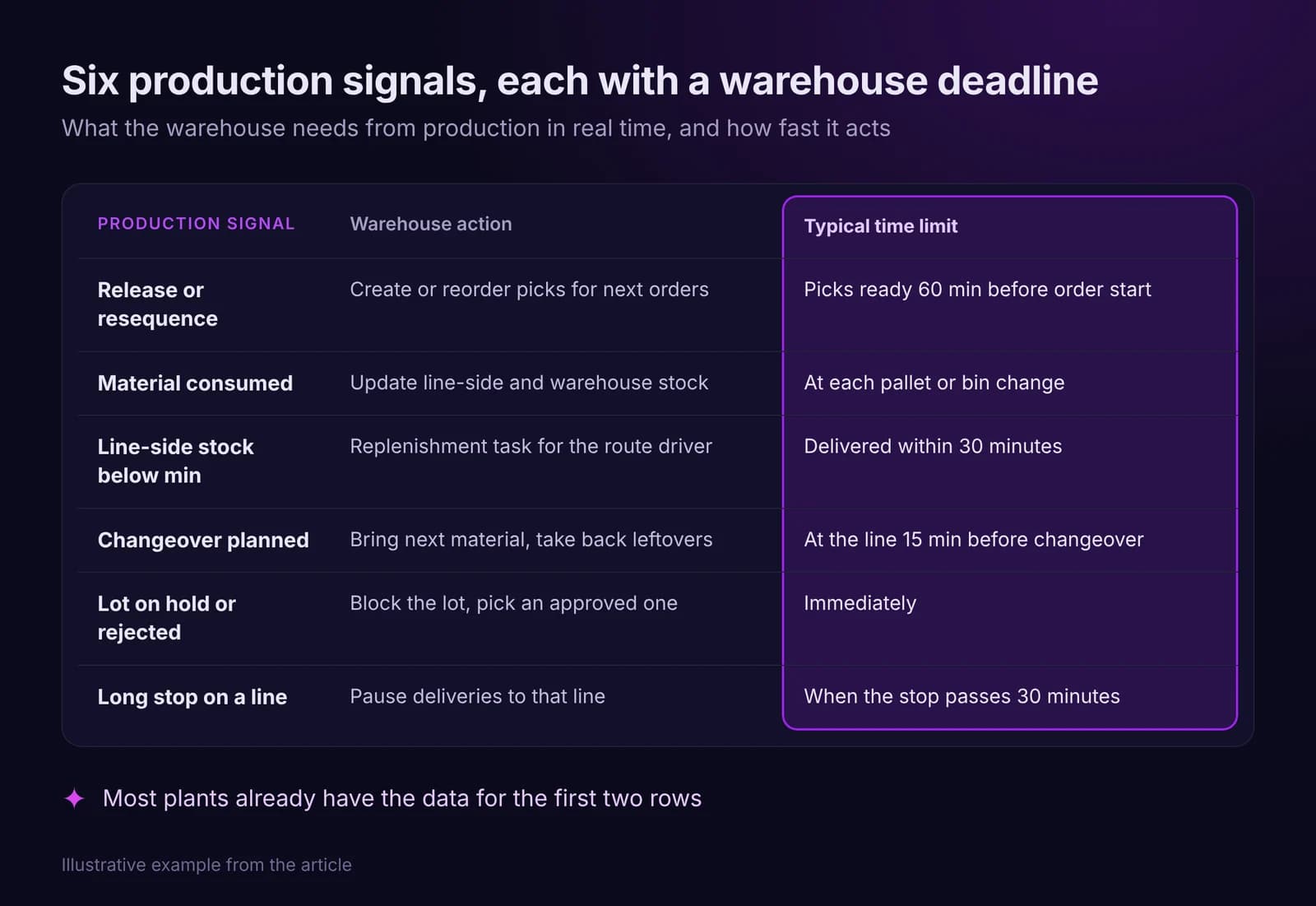
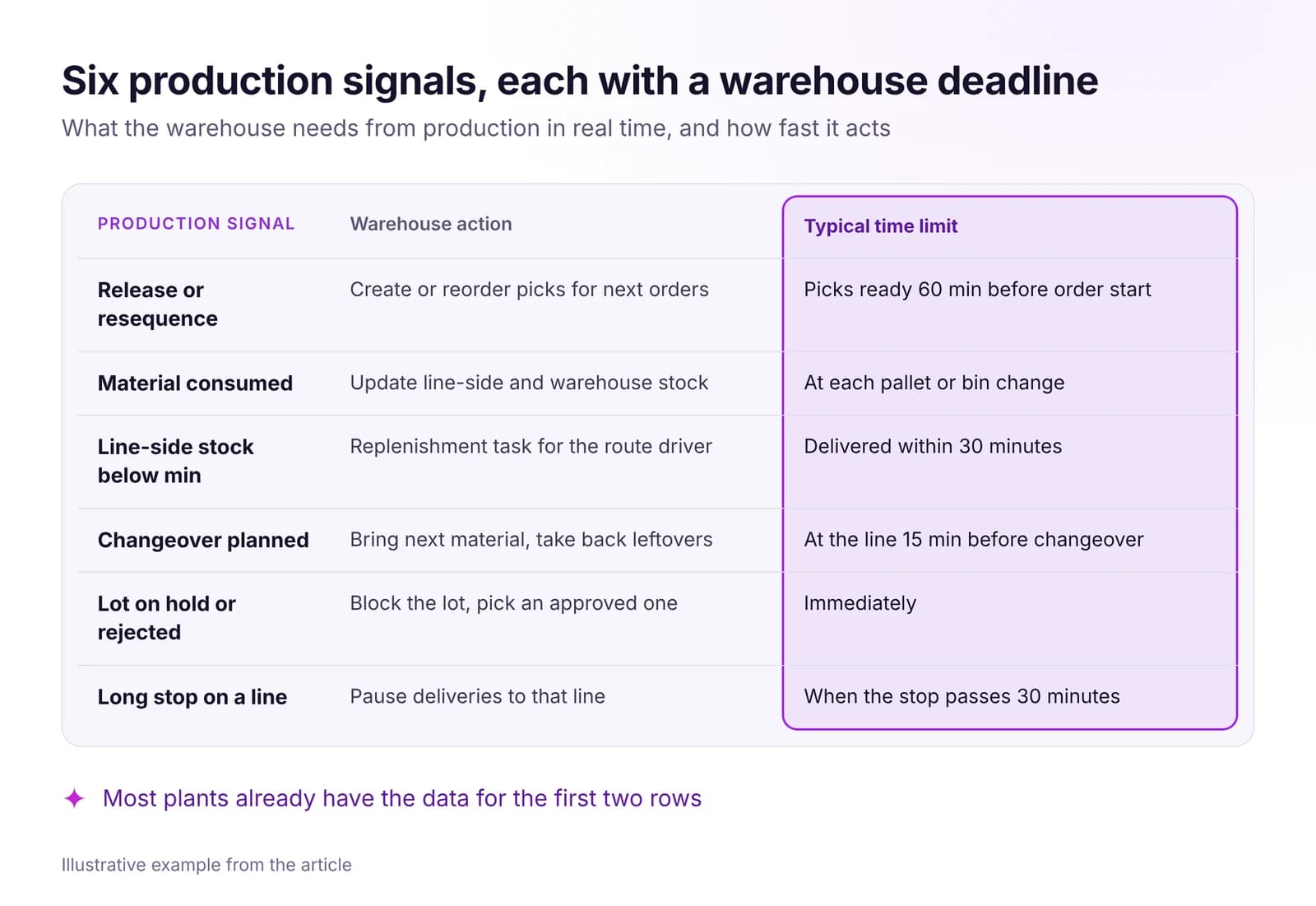 Warehouse and Intralogistics Optimization With Real-Time DataLines wait for material when the warehouse sees production too late. The real-time signals your WMS needs, how to set up pull replenishment, what to measure.Read article · 7 min
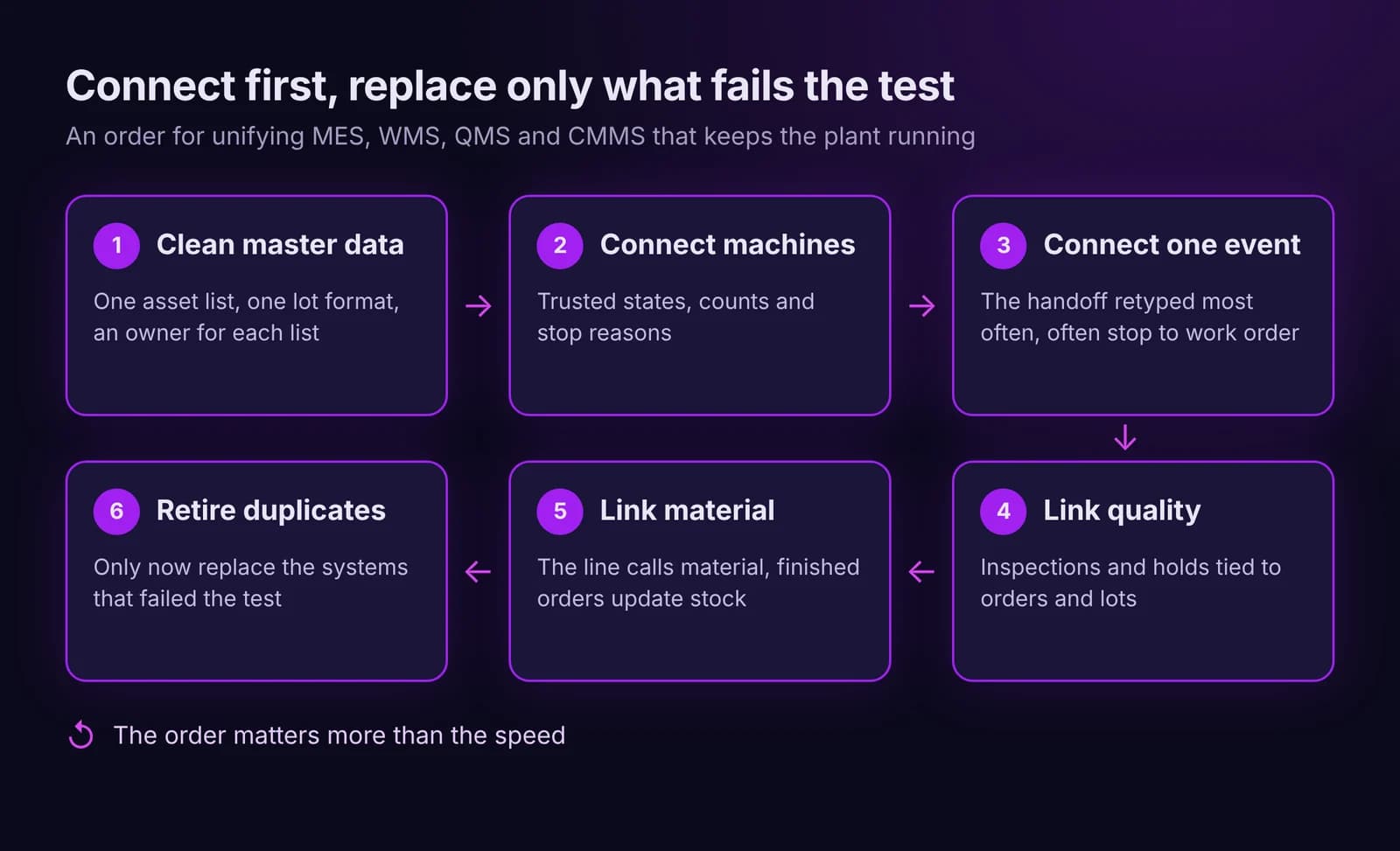
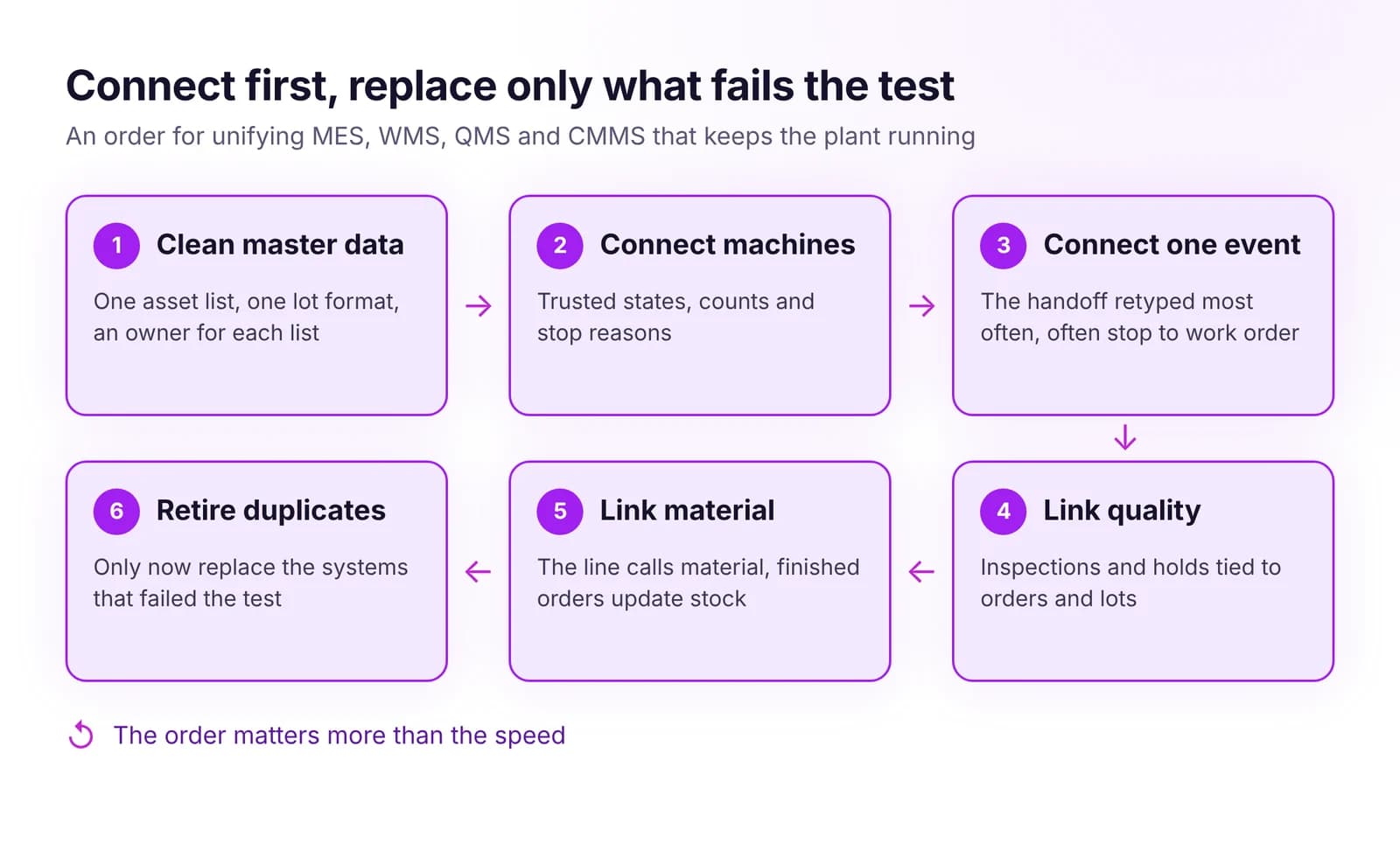 How to Unify MES, WMS, QMS and CMMS Without Replacing EverythingUnify MES, WMS, QMS and CMMS without a big-bang project: shared master data first, then key events, and replace a system only when it blocks the flow.Read article · 7 min
Try WMS in IRIS
Start a 14-day trial on your plant's data, or open the interactive demo with sample data.