All modulesExample data
Production & Quality
Keep machines running with work orders and prevention
Operators report breakdowns, mechanics claim and close work orders, and schedules create preventive work. Supervisors sign off finished jobs.
IRISCMMS · Work orders07:58
- Due today
- 1
- Open
- 5
Work orders
- PreventiveWO-0461Lubrication · Press-02
- DoneWO-0458Hydraulic leak · Press-02
- In progressWO-0455Belt check · Pack-04
- DoneWO-0452Filter change · Weld-03
Preventive schedule
Press-02 · LubricationDue todayClaimed by J. Berg
- Labor
- 1.5 h
- Part cost
- Grease cartridge
Schedule
Next due 24 NovSign-off
What I signPassword confirmedReady to sign offSigned off by M. Novak
Signed off
A preventive schedule for Press-02 comes due.
What it does
- 01
Work orders
Create, assign, claim, log time and close. Every change goes to the work order log.
- 02
Preventive schedules
Schedules generate preventive work orders without duplicates. Closing an order moves the schedule to its next date.
- 03
Assets, parts and tooling
Asset history, spare parts, costs, MTBF and MTTR, plus a toolshop with its own repair cycle and QR labels.
Where the data comes from
- The app and the kiosk: work orders, assets, schedules, parts, costs and tools.
- Events: Andon calls, breakdowns from the operator panel, HSE and GEMBA findings.
- IoT alarms can create work orders. It is off by default and set per plant.
Good to know
- CMMS does not order parts or reserve them in stock. Its spare parts register is its own.
- Technicians are assigned by hand from a list, not matched by skills.
- Predictive maintenance belongs to IoT. CMMS can receive an alarm from it.
Screens from the IRIS demo
Sample data from the IRIS demo factory. Click a screen to enlarge it.
Read more
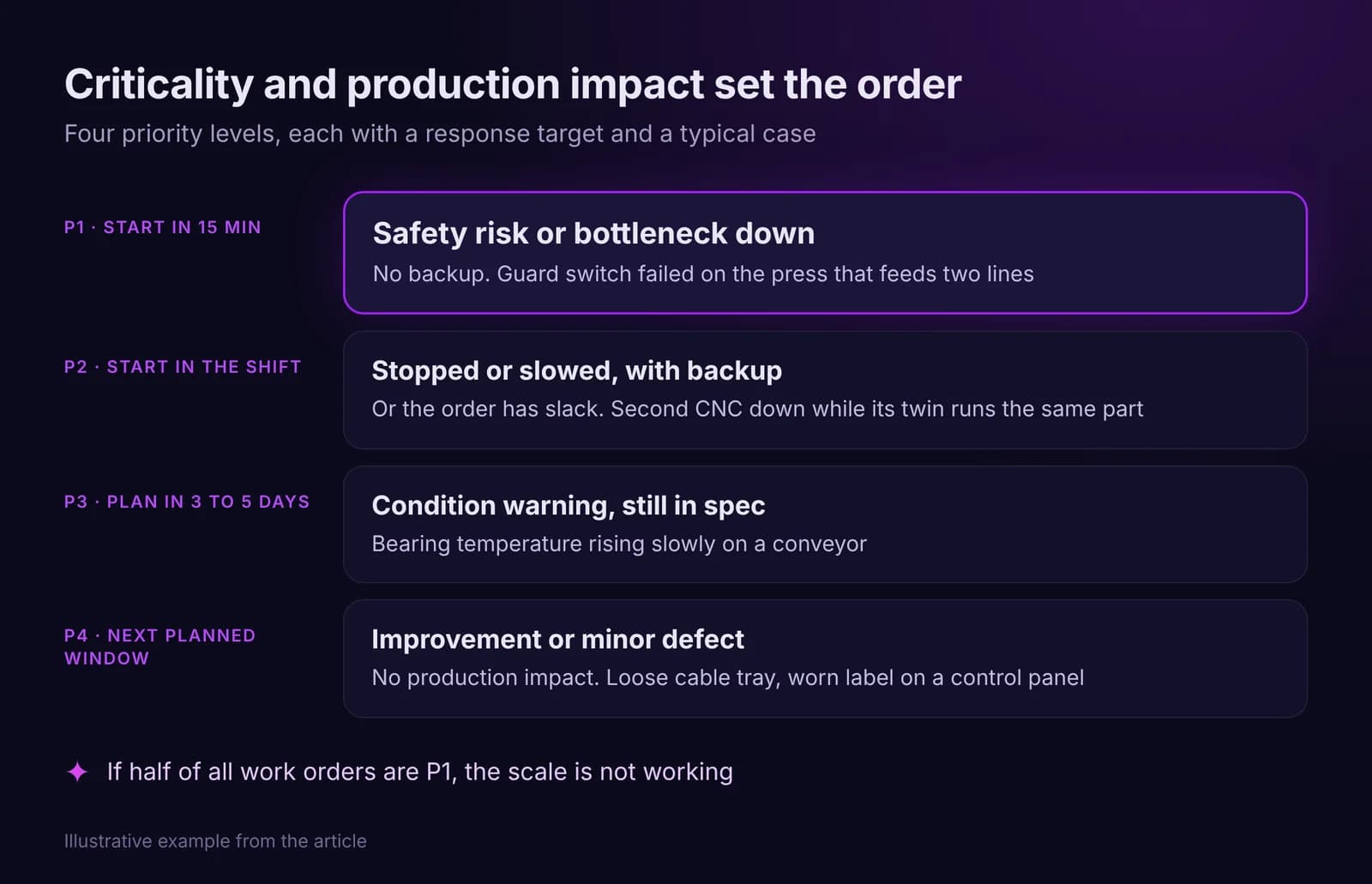
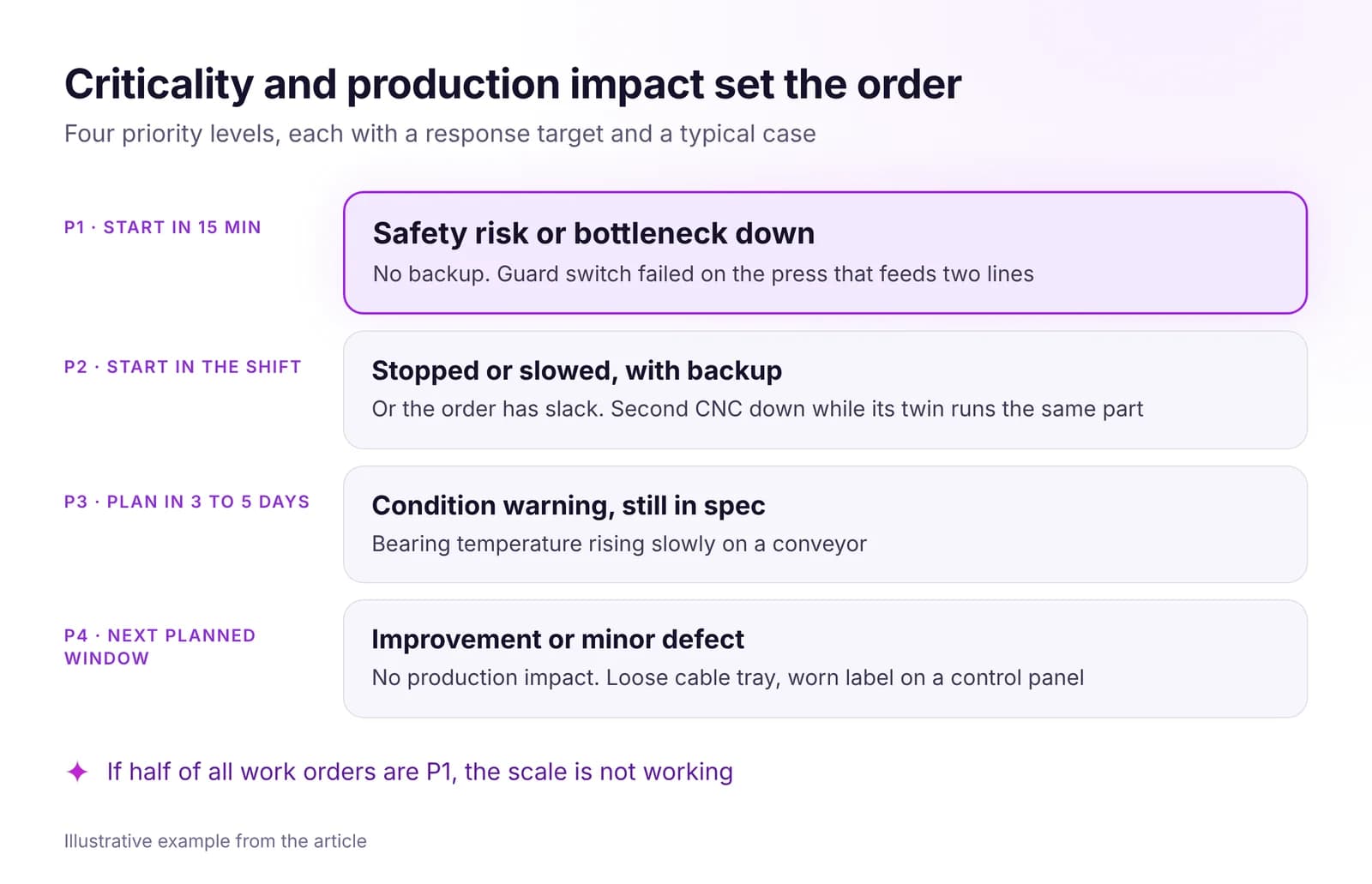 How to Manage Maintenance With Data: A CMMS That Works on the FloorRun maintenance on data: one asset list, work orders ranked by criticality and production impact, inspections triggered by usage and condition, clear KPIs.Read article · 7 min
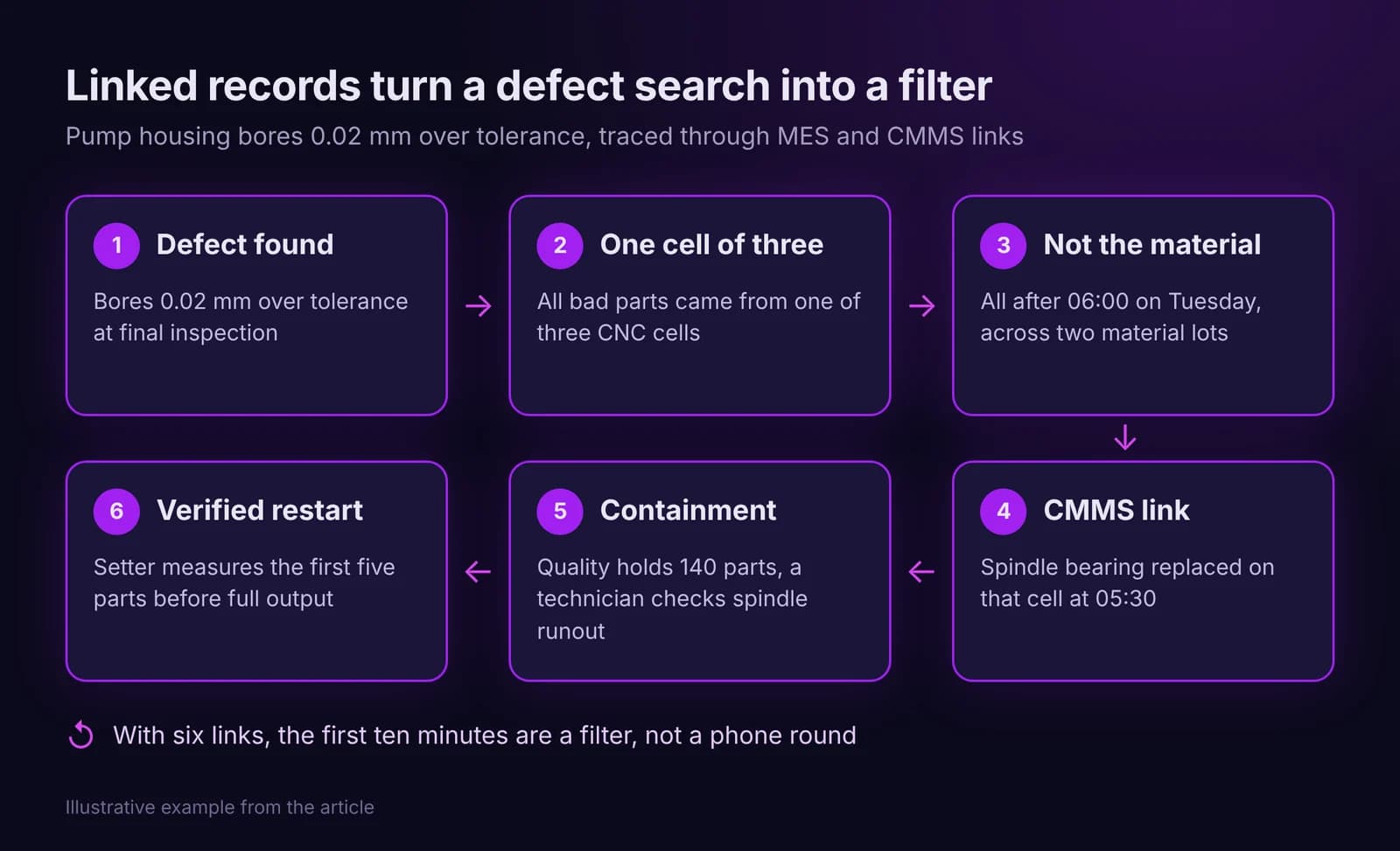
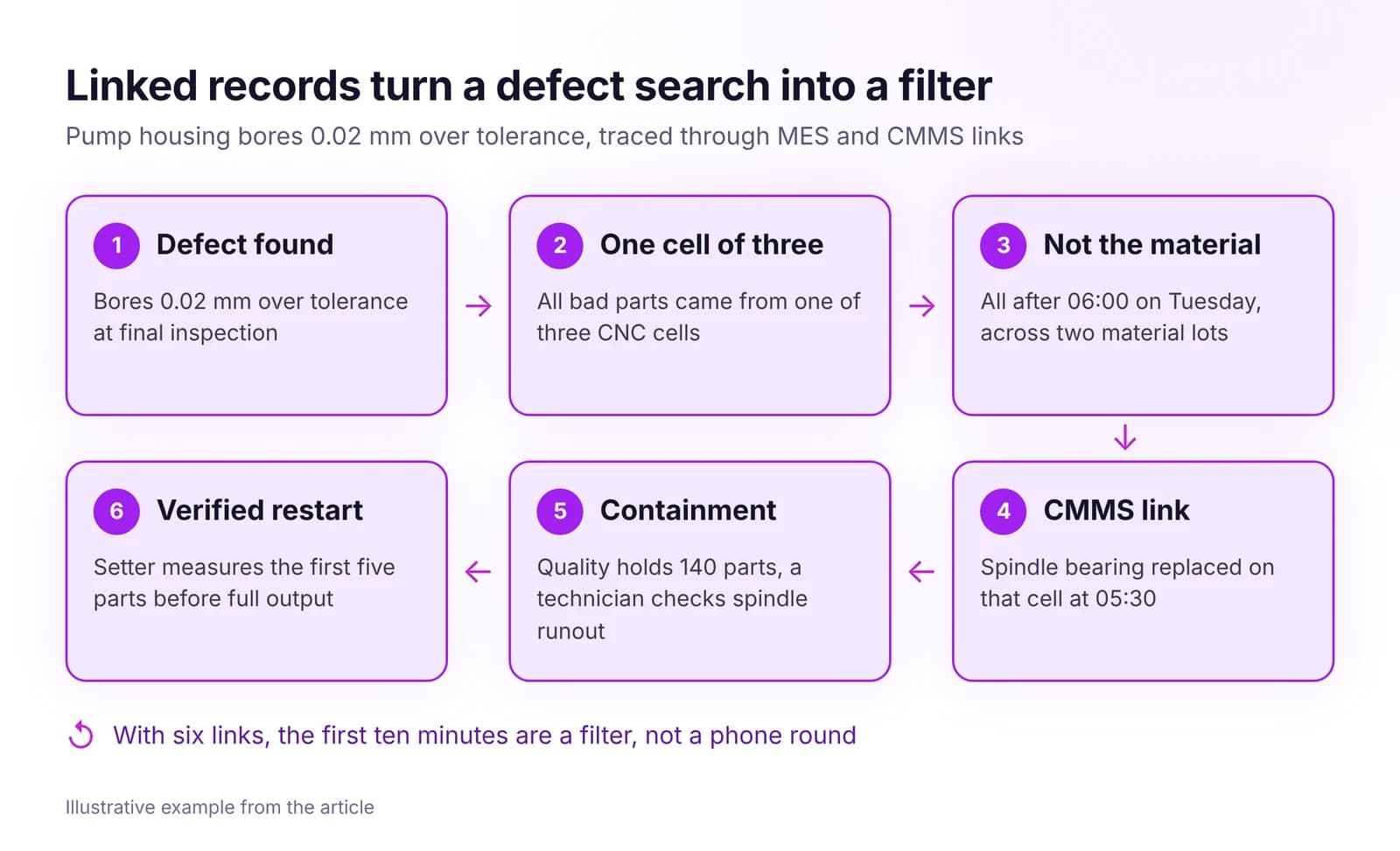 How to Link Quality Issues to Production and MaintenanceLink every defect to its order, machine, shift, material lot and last work order, set rules for when quality calls in maintenance, and verify each fix.Read article · 7 min
Try CMMS in IRIS
Start a 14-day trial on your plant's data, or open the interactive demo with sample data.