Produktion und Qualität
Jeden Fertigungsauftrag von Freigabe bis Abschluss steuern
Werker erfassen Stückzahlen, Stillstände und Fehler am Terminal. MES Produktion ermittelt daraus die OEE und erstellt eine Schichtübergabe, die die nächste Schicht bestätigt.
- Gut
- 1146
- Ausschuss
- 0
- Stillstand
- 0Min.
Am Terminal erfasst
Stillstand 6 Min.- Verfügbarkeit
- 88%
- Leistung
- 92%
- Qualität
- 97%
- OEE
- 79%
Linie 1 fertigt Auftrag PO-2318 an vier Stationen.
Was das Modul kann
- 01
Ein Terminal an jeder Station
Werker melden sich per PIN oder RFID-Karte an, starten und beenden Aufträge und melden Teile, Fehler und Störungen.
- 02
Eine OEE für alle Ansichten
Cockpit, Berichte und KPI / Analytik nutzen dieselbe Berechnung von Verfügbarkeit, Leistung und Qualität.
- 03
Qualität und Rückverfolgbarkeit
SPC-Regelkarten prüfen jeden Messwert gegen die Eingriffsgrenzen. Der Genealogiebaum verfolgt jede Einheit und Charge.
So funktioniert es
Das Video ist englisch gesprochen; Untertitel gibt es im Player.
Transkript (Englisch)
This is the MES Production dashboard in IRIS. At the top you see OEE right now, with availability, performance and quality. Next to it are the output, the orders running, the completed orders and the open downtime. Below is the process flow of your line. Each station shows its name and its live state. The legend names the states: running, idle, andon, planned stop and unplanned stop. Under the flow you find the production orders, with their status, quantity, produced quantity and progress. Recent activity lists the latest events, and the station passes show what each station produced. The downtime list shows downtime from every source. Register downtime adds a new one. Open Performance for the OEE dashboard. It shows the plant OEE right now and ranks the machines. That is enough to get started. Production, Orders and Quality and Traceability are in the same module, so look around there too.
Transkript (Englisch)
How well does your line really run? Many plants find out at the end of the shift, from a downtime sheet. In IRIS MES Production, the dashboard shows OEE right now, with availability, performance and quality. Every station on the line is on the map with its live state, such as running, idle or stopped. Downtime appears as it happens, with the station and how long it lasts. Machine signals come in through Data Bridge, and IoT shows OEE for each machine. No spreadsheet. No waiting for the end of the shift. Try the free demo at iris.dbr77.com.
Woher die Daten kommen
- Das Werkerterminal: Teile, Fehler, Pausen, Störungen und Andon-Rufe.
- In APS veröffentlichte Pläne und Aufträge aus CSV- oder XLSX-Dateien.
- Maschinenalarme aus IoT und Data Bridge. Ein kritischer Alarm wird zum Andon-Alarm.
Gut zu wissen
- Pläne kommen aus APS. MES Produktion arbeitet sie ab und meldet den Auftragsstatus zurück.
- Maschinen werden über IoT und Data Bridge angebunden. MES Produktion hat keine direkte Verbindung zu SPS.
- Arbeitsanweisungen und Prozessdefinitionen entstehen in Engineering. MES Produktion setzt sie um.
Ansichten aus der IRIS-Demo
Beispieldaten aus der IRIS-Demofabrik. Klicken Sie auf eine Ansicht, um sie zu vergrößern.
Weiterlesen
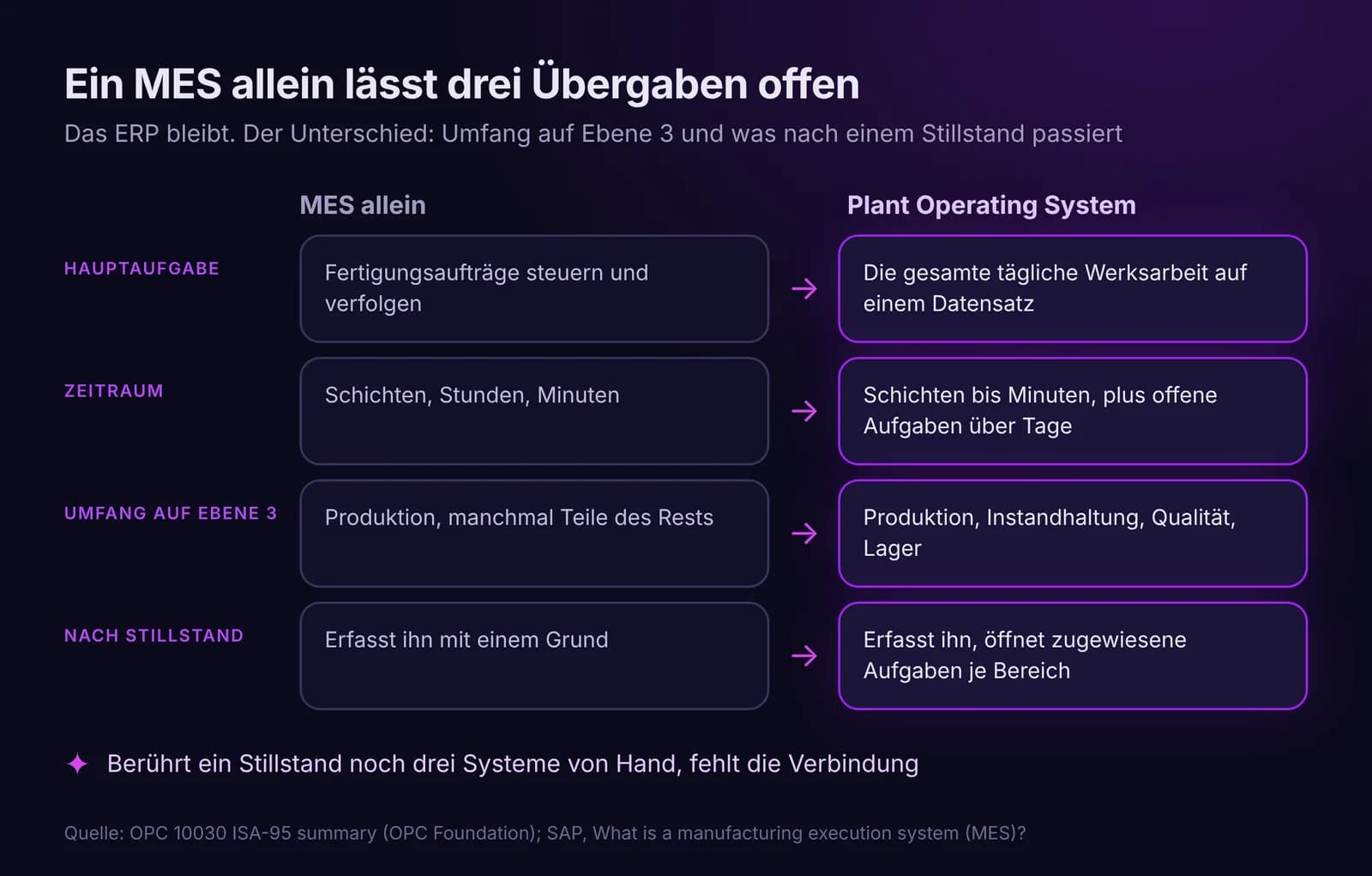
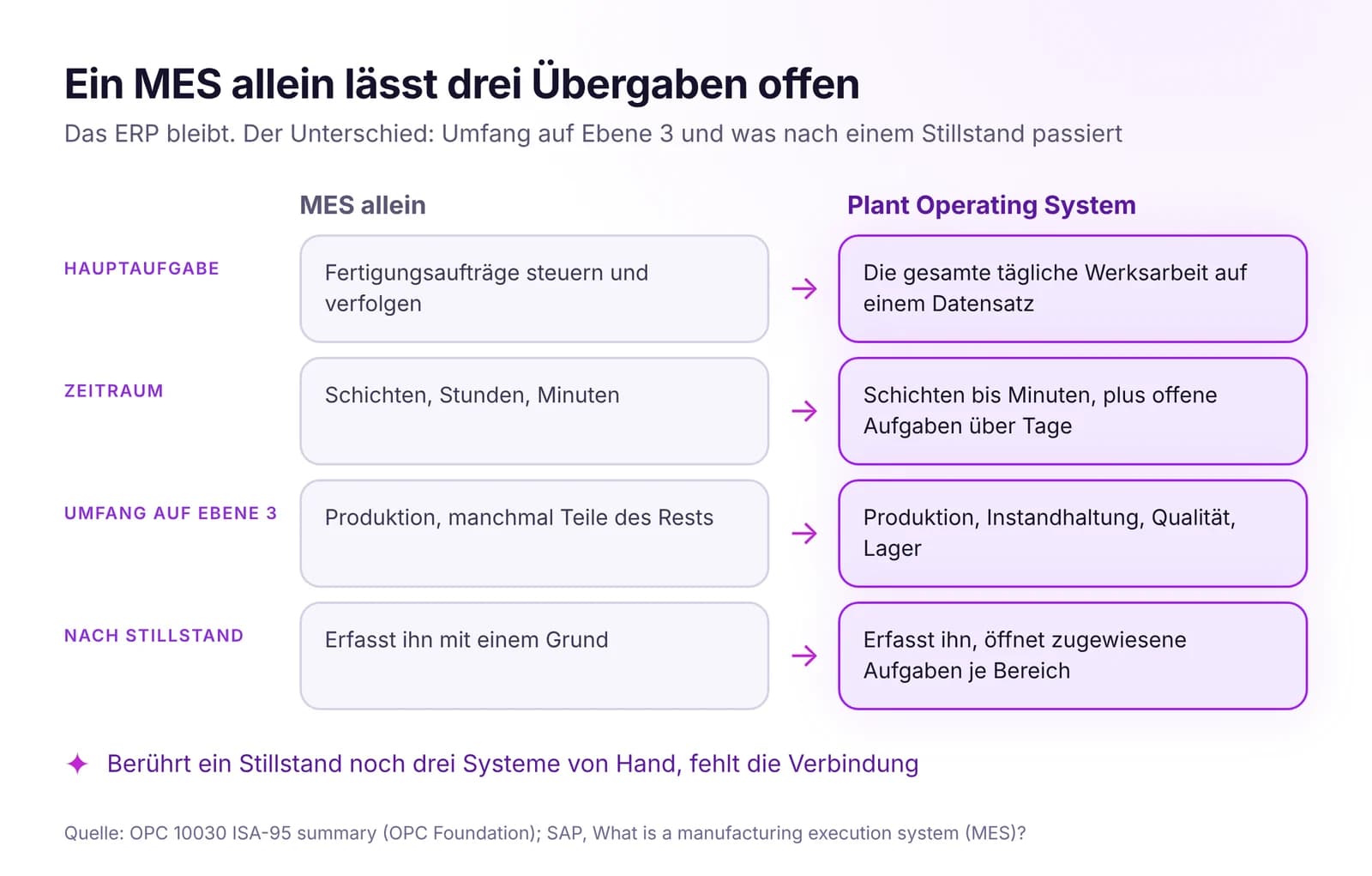 Plant Operating System vs. MES vs. ERP: Wer macht was im WerkERP plant das Geschäft, MES steuert Fertigungsaufträge, ein Plant Operating System führt die gesamte Werksarbeit in einem Datensatz. Wo ein MES allein endet.Artikel lesen · 7 Min.
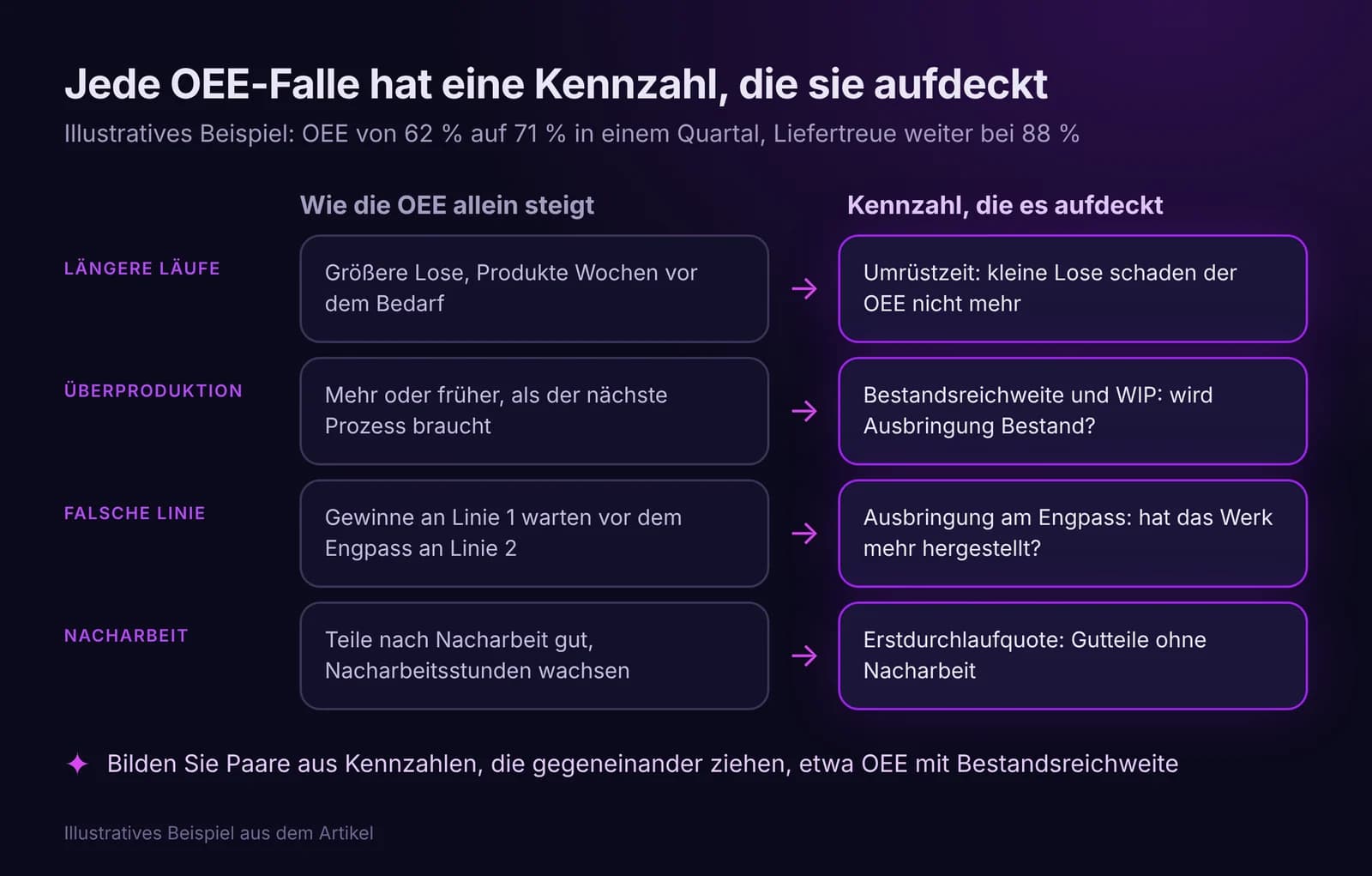
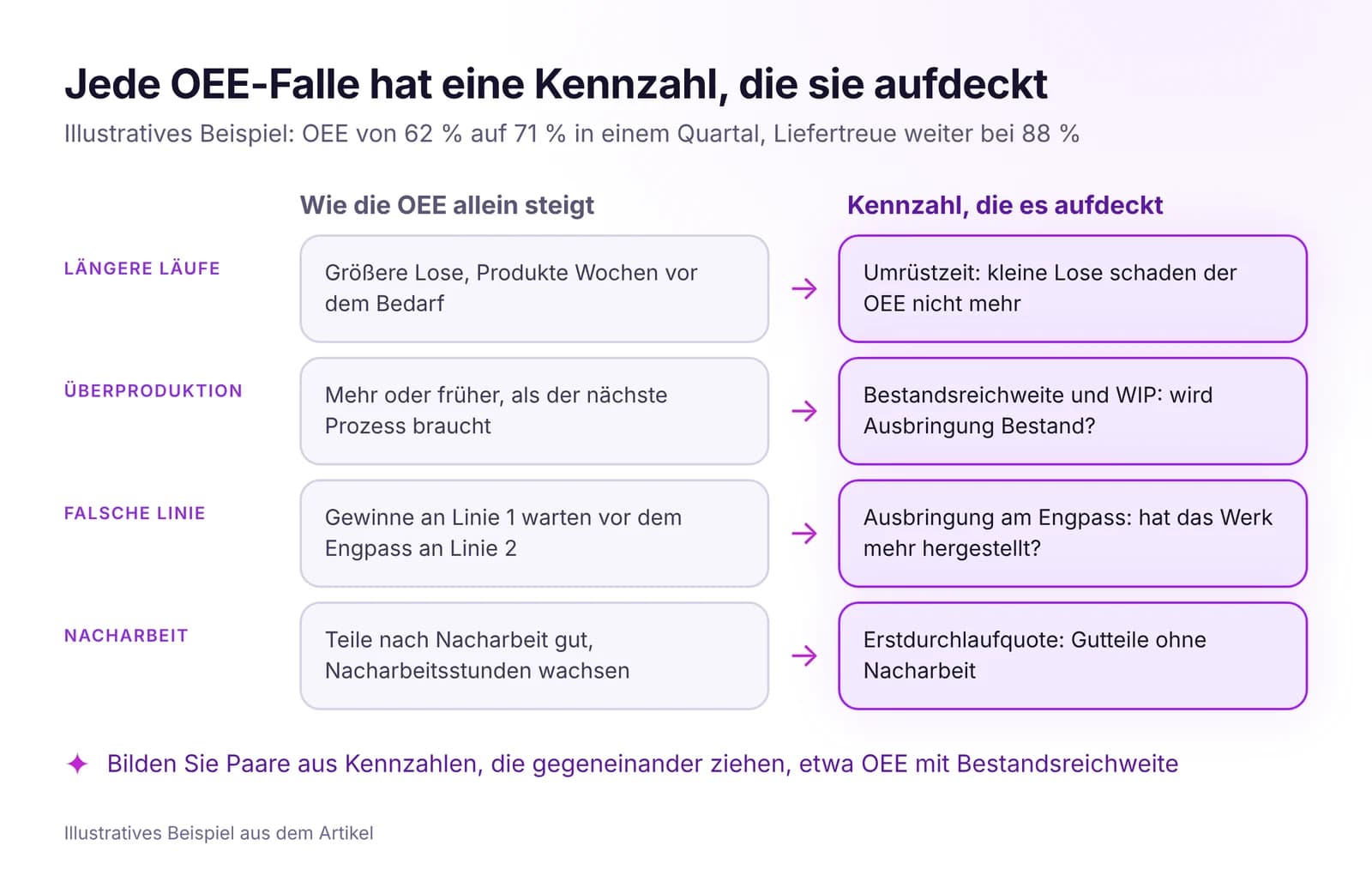 OEE reicht nicht: Was Sie zusätzlich zur OEE messen solltenDie OEE kann steigen, während Liefertreue sinkt und Bestände wachsen. Fünf Gründe, die passenden Kennzahlen neben der OEE und eine kurze Scorecard für das Werk.Artikel lesen · 7 Min.
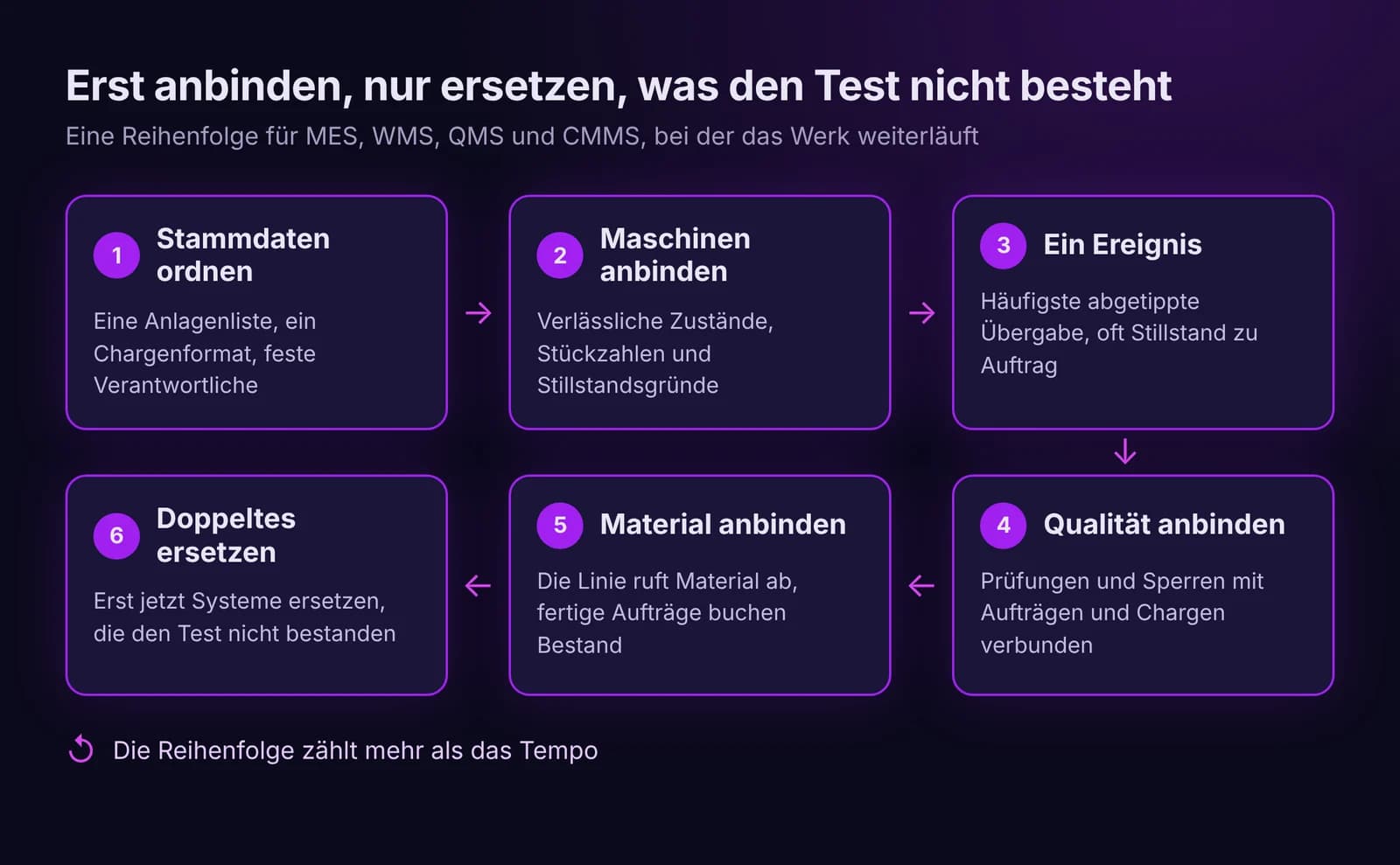
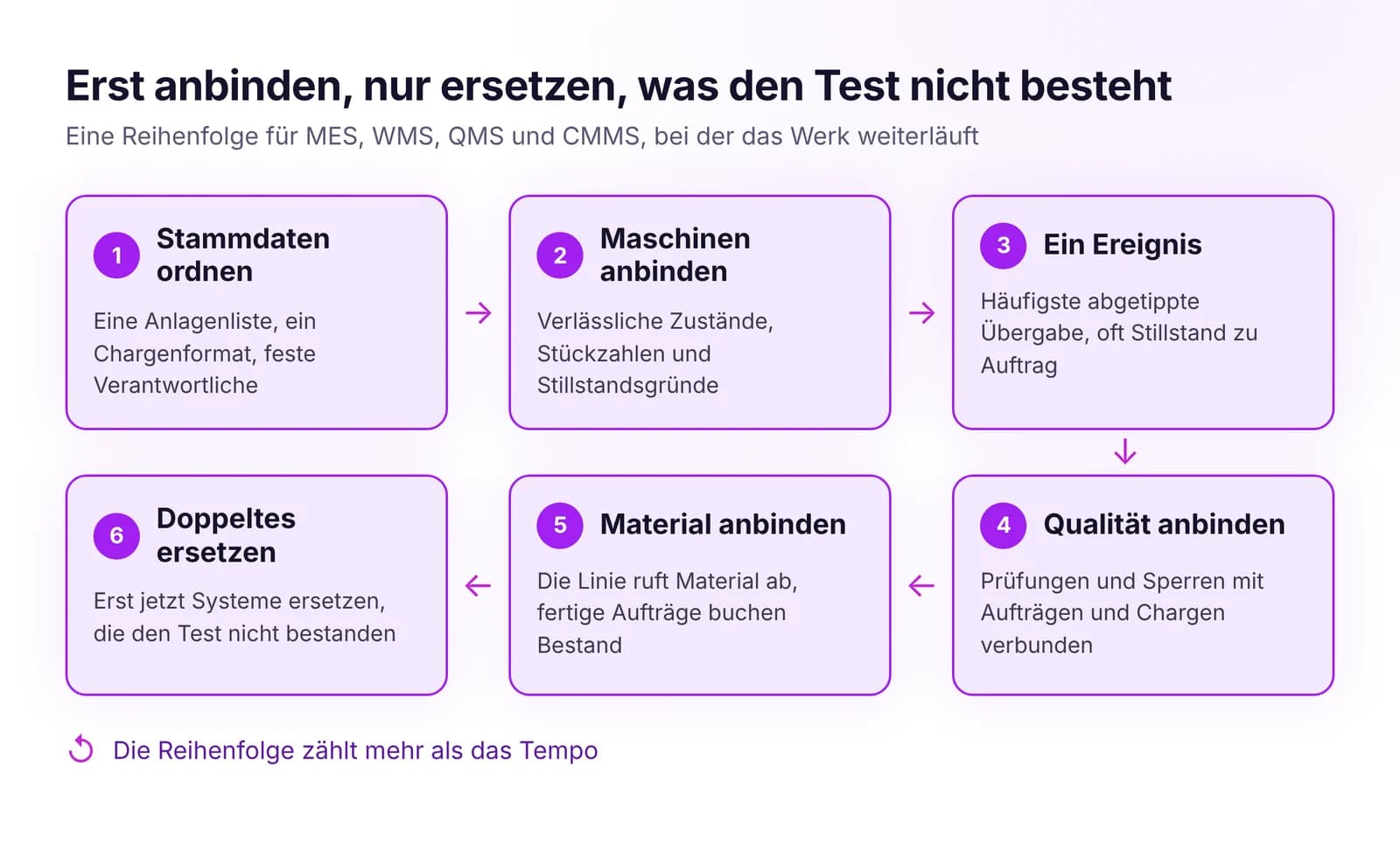 Wie Sie MES, WMS, QMS und CMMS vereinheitlichen, ohne alles zu ersetzenMES, WMS, QMS und CMMS ohne Big-Bang-Projekt vereinen: zuerst gemeinsame Stammdaten, dann die wichtigsten Ereignisse. Ersetzt wird nur, was den Fluss blockiert.Artikel lesen · 7 Min.
MES Produktion in IRIS testen
Starten Sie einen 14‑Tage‑Test mit den Daten Ihres Werks oder öffnen Sie die interaktive Demo mit Beispieldaten.