Planung und Material
Aufträge auf Maschinen planen und für MES veröffentlichen
APS macht aus dem Produktionsprogramm (MPS) einen Gantt-Plan, markiert überlastete Maschinen und übergibt nur die veröffentlichte Version an MES.
- 1Entwurf
- 2Eingefroren
- 3Veröffentlicht
Über der Auslastungsgrenze des Werks.
MES Produktion erhält die Aufträge.
Der Planer wählt ein Ziel für den Plan.
Was das Modul kann
- 01
Planung nach Zielvorgabe
Wählen Sie minimale Verspätung, maximale Auslastung oder niedrigste Kosten. Rüstzeiten kommen aus der Rüstmatrix.
- 02
Engpässe und Datenlücken
Maschinen über der im Werk festgelegten Auslastungsgrenze werden markiert. Fehlen Daten, weist der Plan darauf hin.
- 03
Versionen und Plantreue
Pläne gehen von Entwurf über eingefroren zu veröffentlicht. Die Plantreue vergleicht Plan- und Ist-Termine abgeschlossener Aufträge.
So funktioniert es
Das Video ist englisch gesprochen; Untertitel gibt es im Player.
Transkript (Englisch)
This is the Resources screen in IRIS APS. It lists each resource with its code, name, type, capacity, linked machine and bottleneck flag. Click a column title to sort, and export the list to Excel or CSV. Add Resource creates a new one. Each row has the actions Edit and Delete. The tabs next to Resources cover resource capacity, load balance, bottlenecks and the setup matrix. Open Scheduling for the Gantt chart. Use Prev, Today and Next, and the Day, Week or Month view, to move through time. The buttons Create Entry, Dependencies and Record actuals are above the chart. Scenarios, Publish and Adherence are next to Gantt. That is enough to get started. Overview, Demand and Material, and Settings are in the same module, so look around there too.
Transkript (Englisch)
A plan that ignores stock and capacity breaks on day one. When materials, machines and the warehouse are planned apart, the plan stops matching reality. In IRIS MRP, every bill of materials lists its product, version, lines and cost. An MRP run shows its items, planned orders and exceptions. APS lists your resources and their capacity, and shows the load and the bottlenecks. WMS shows the stock, the receiving and the picking in the warehouse. Planning and stock stay on the same plant data. Try the free demo at iris.dbr77.com.
Woher die Daten kommen
- Eingaben des Planers: Ressourcen, Kapazitätskalender, Rüstmatrix, MPS-Positionen, Prognosen und Einstellungen.
- MRP und WMS: Stücklisten und Bestände für Materialrestriktionen.
- MES meldet Status und Abschluss der Aufträge. Eine CMMS-Störung nimmt die Ressource aus der Planung.
Gut zu wissen
- Die Planung ist regelbasiert, ohne globale Optimierung. Jeder Auftrag ist ein Block auf einer Maschine.
- Nur ein veröffentlichter Plan erreicht MES. Entwürfe und eingefrorene Pläne sieht die Fertigung nicht.
- APS berechnet keinen Materialbedarf und löst keine Bestellungen aus. Das übernehmen MRP und Beschaffung.
Ansichten aus der IRIS-Demo
Beispieldaten aus der IRIS-Demofabrik. Klicken Sie auf eine Ansicht, um sie zu vergrößern.
Weiterlesen
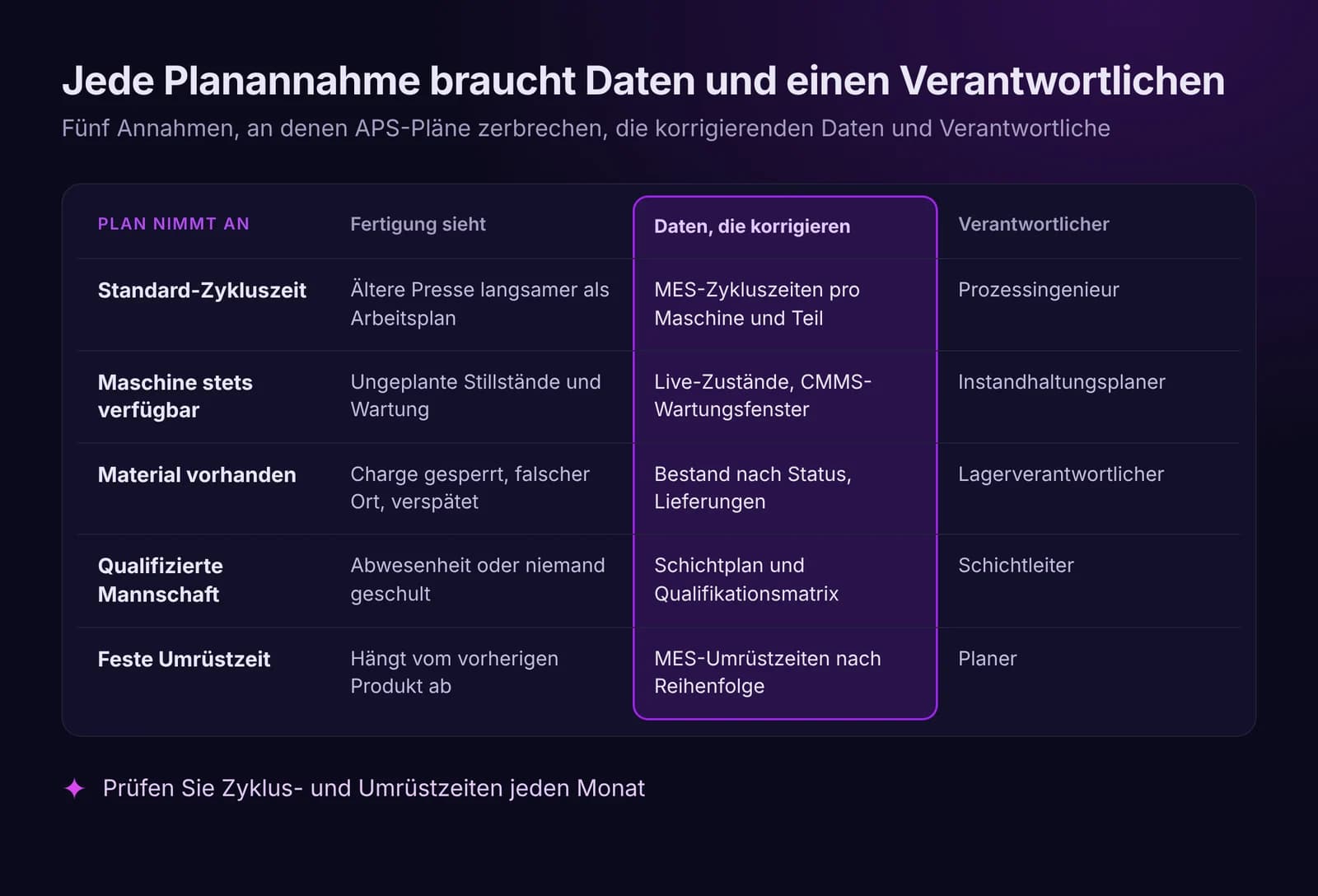
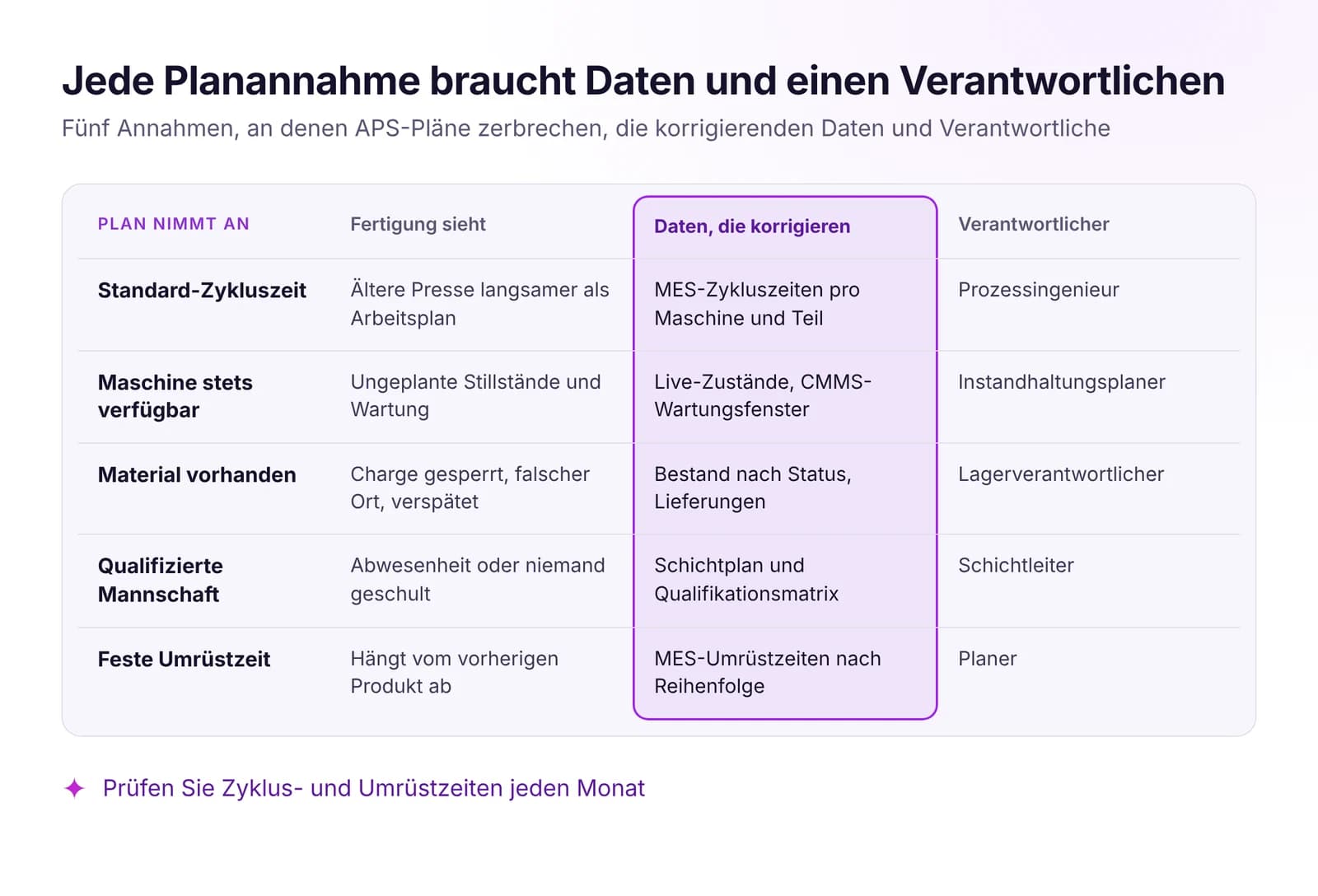 Produktionsplanung vs. Realität: Warum APS-Pläne scheiternAPS-Pläne scheitern an veralteten Annahmen zu Taktzeiten, Maschinen, Material und Personal. Welche Live-Daten den Plan gültig halten und wann neu geplant wird.Artikel lesen · 7 Min.
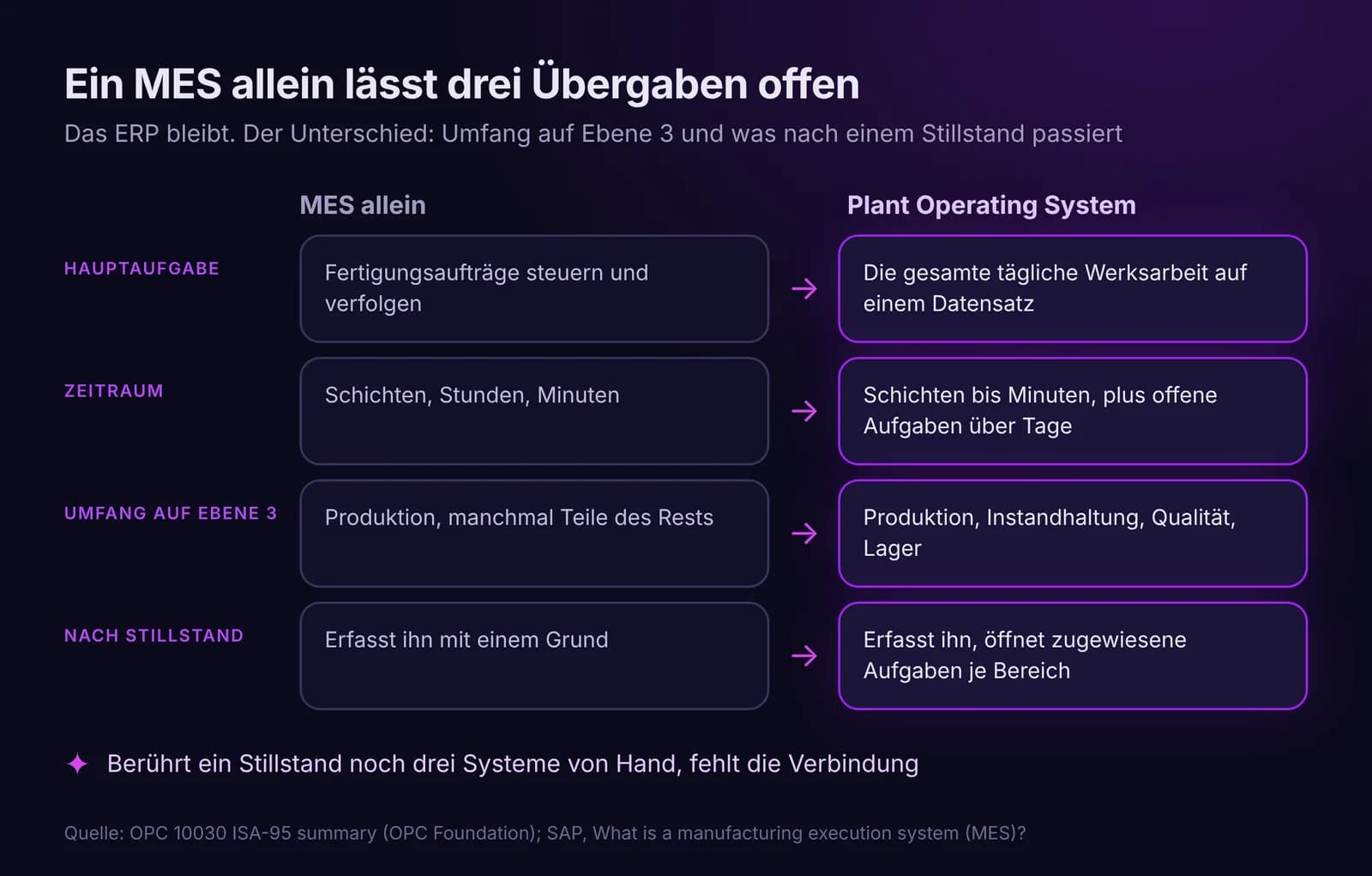
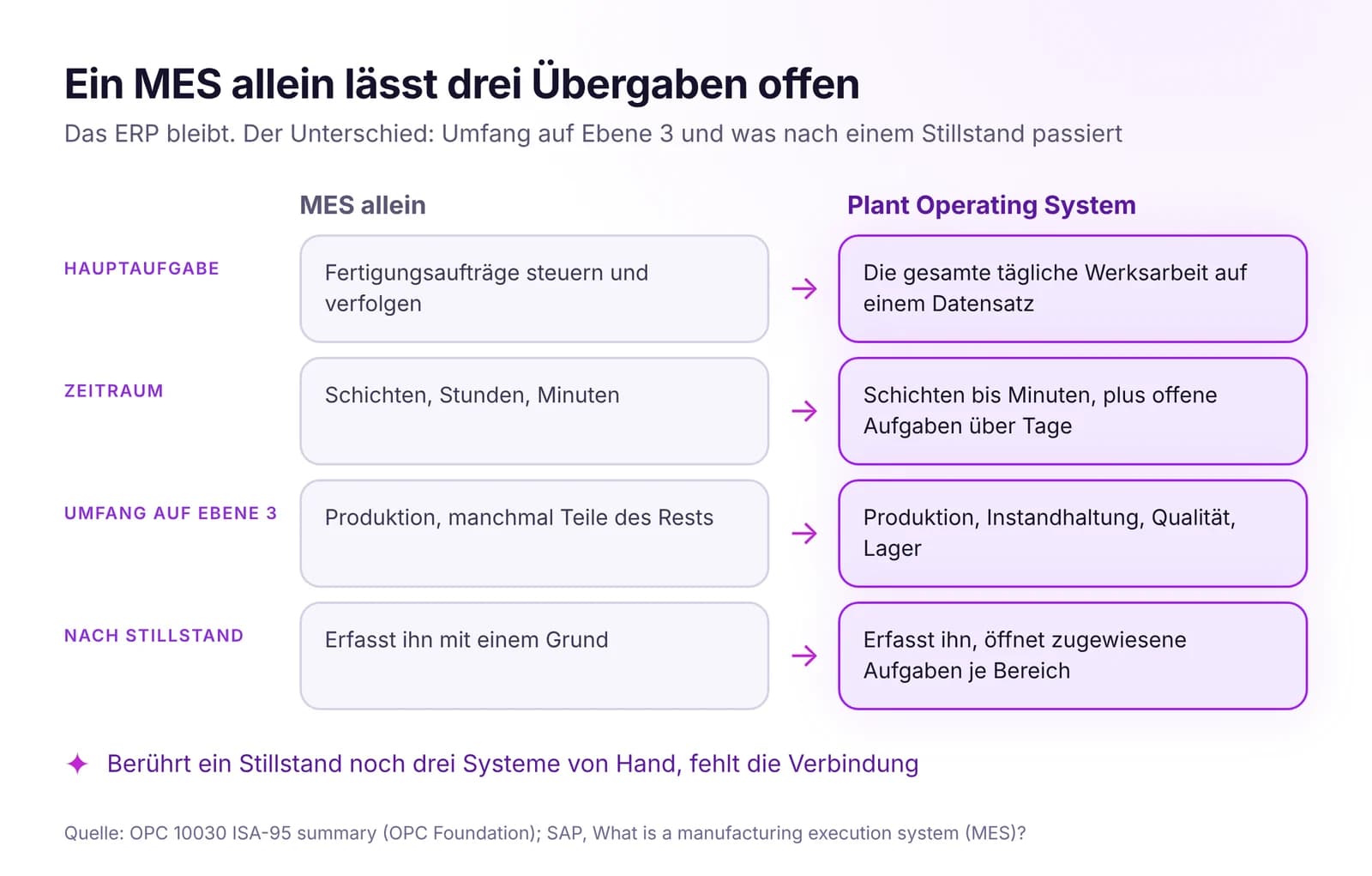 Plant Operating System vs. MES vs. ERP: Wer macht was im WerkERP plant das Geschäft, MES steuert Fertigungsaufträge, ein Plant Operating System führt die gesamte Werksarbeit in einem Datensatz. Wo ein MES allein endet.Artikel lesen · 7 Min.
APS in IRIS testen
Starten Sie einen 14‑Tage‑Test mit den Daten Ihres Werks oder öffnen Sie die interaktive Demo mit Beispieldaten.