人員とコミュニケーション
インシデント、危険源、ヒヤリハットを1か所で
安全衛生モジュールは、インシデント、ヒヤリハット、リスクアセスメント、点検を記録します。これらの記録から安全KPIを計算し、労働時間の取得元も示します。
- 報告済みNM-0142Forklift · Aisle 3
- クローズNM-0141Ladder · Dock 2
- クローズNM-0140Spill · Press hall
- クローズNM-0139Cable · Hall B
対策完了。タスクはクローズ。
通路3でヒヤリハットが報告されます。
主な機能
- 01
ヒヤリハットとインシデント
ヒヤリハットを報告すると、タスクモジュールに確認タスクが作成されます。インシデントには是正処置、コメント、変更履歴が付きます。
- 02
危険源と対策
危険源カードでは、リスクを発生可能性×重大度で計算します。対策を完了すると、そのタスクもクローズされます。
- 03
記録に基づく安全KPI
LTIFには計算式と労働時間の取得元が表示されます。労働時間がない場合は、何が不足しているかを示します。
動作を見る
動画は英語のナレーションです。字幕はプレーヤーで利用できます。
文字起こし(英語)
This is the HSE dashboard in IRIS. The cards count open and critical incidents, near misses, incidents this month, resolution days, high and critical risks, overdue actions and total incidents. The charts show the incidents by severity and the risk distribution. The safety event pyramid shows the last twelve months by consequence tier. Incidents by type shows the top categories. Open Risk for the risk assessments. A five by five matrix places each one by probability and impact. The table lists each assessment with its title, hazard type, score, risk level and status. New Assessment creates one. That is enough to get started. Events, Inspections and Permits, and Training and Compliance are in the same module, so look around there too.
文字起こし(英語)
Who works your shifts, how safe is the plant, and what does it emit? Too often each answer sits in a different tool. IRIS keeps all three on the same plant data. People shows your employees, departments, positions and shifts. HSE tracks incidents and risk assessments, with a five by five risk matrix. ESG tracks emissions by scope, your goals and carbon reduction scenarios. People, safety and sustainability, in one place. Try the free demo at iris.dbr77.com.
データの取得元
- 安全担当チームが、インシデント、ヒヤリハット、アセスメント、点検、危険源、保護具の支給を入力します。
- MESの安全Andonと、重大度の高い現場アラートから、インシデントを自動で起票できます。
- LTIFの労働時間は、人事の勤怠から取得します。
補足
- 安全教育の台帳はありません。コースはリーンマネジメントシステムにあり、この画面とは連携していません。
- 作業許可は人事で発行します。安全衛生はその画面を表示し、過去の許可を保管します。
- インシデントの様式にOSHAやRIDDORの分類はありません。ヒヤリハットと保護具の記録はクローズできますが、削除はできません。
IRISデモの画面
IRISデモ工場のサンプルデータです。画面をクリックすると拡大します。
関連記事
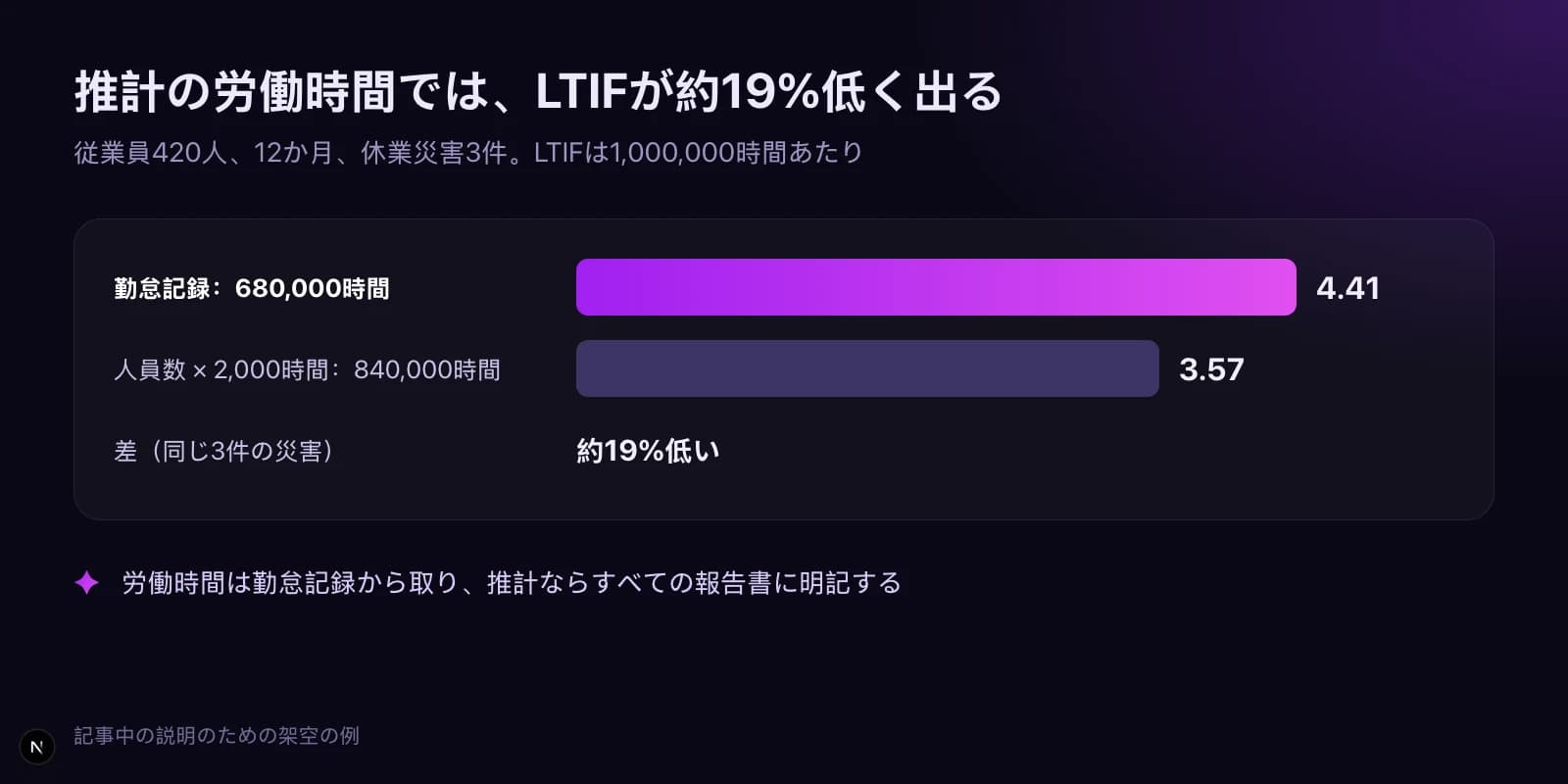
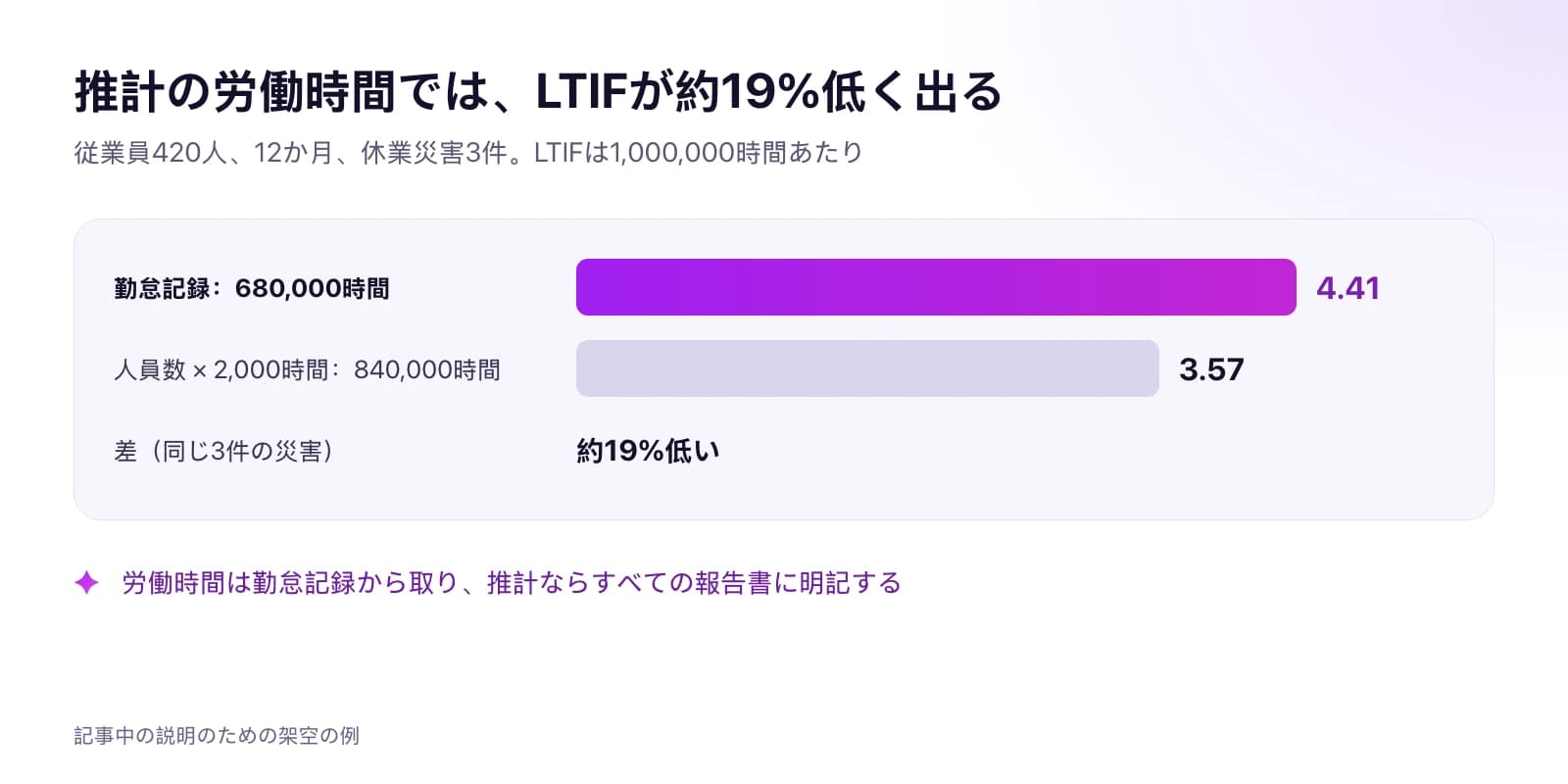 工場の実データからLTIFとTRIRを計算する方法LTIFとTRIRの計算式と出典、労働時間を勤怠記録から取るべき理由、すべての事象の分類方法、率と併せて報告する先行指標を説明用の数値例で解説します。記事を読む · 9分
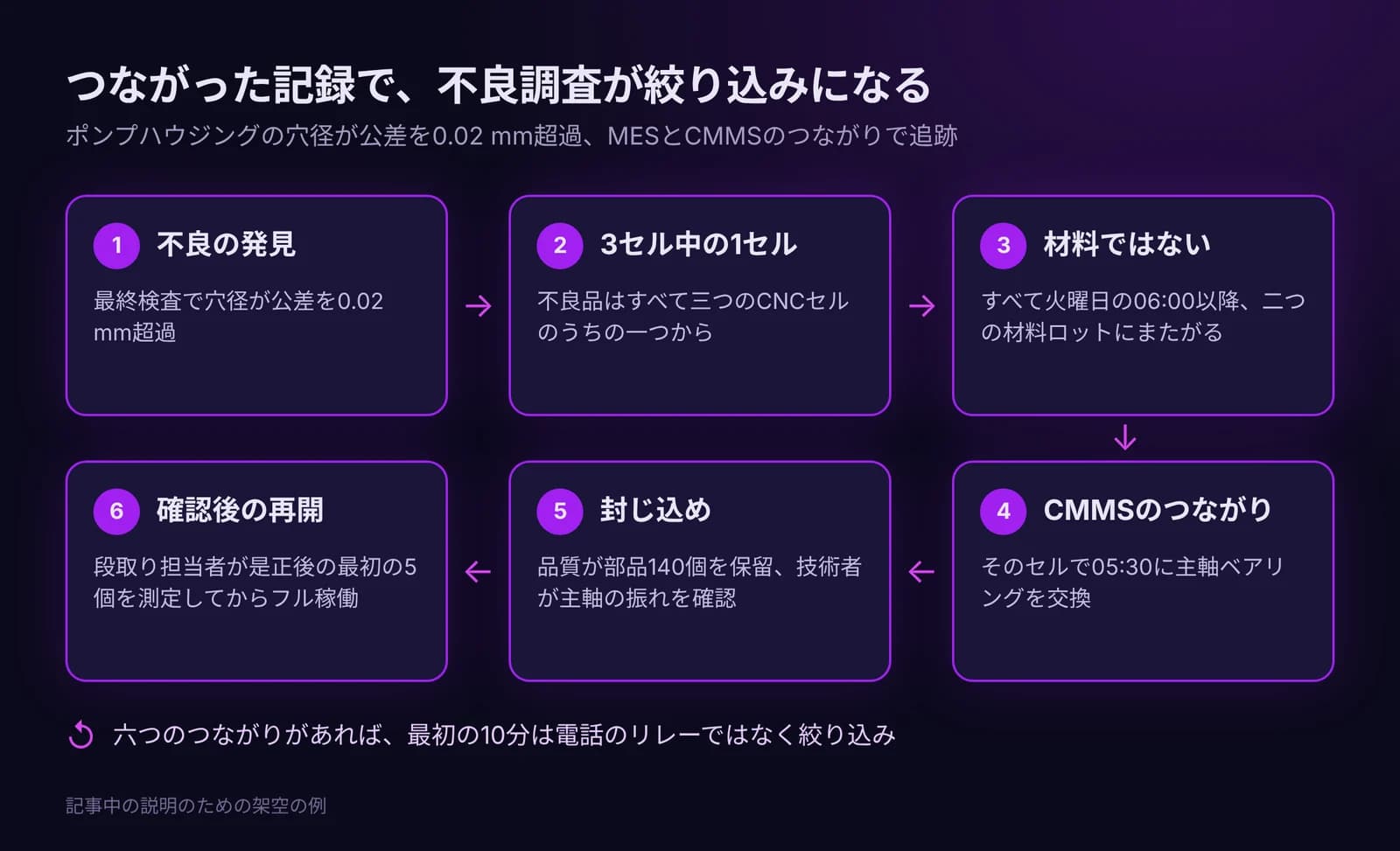
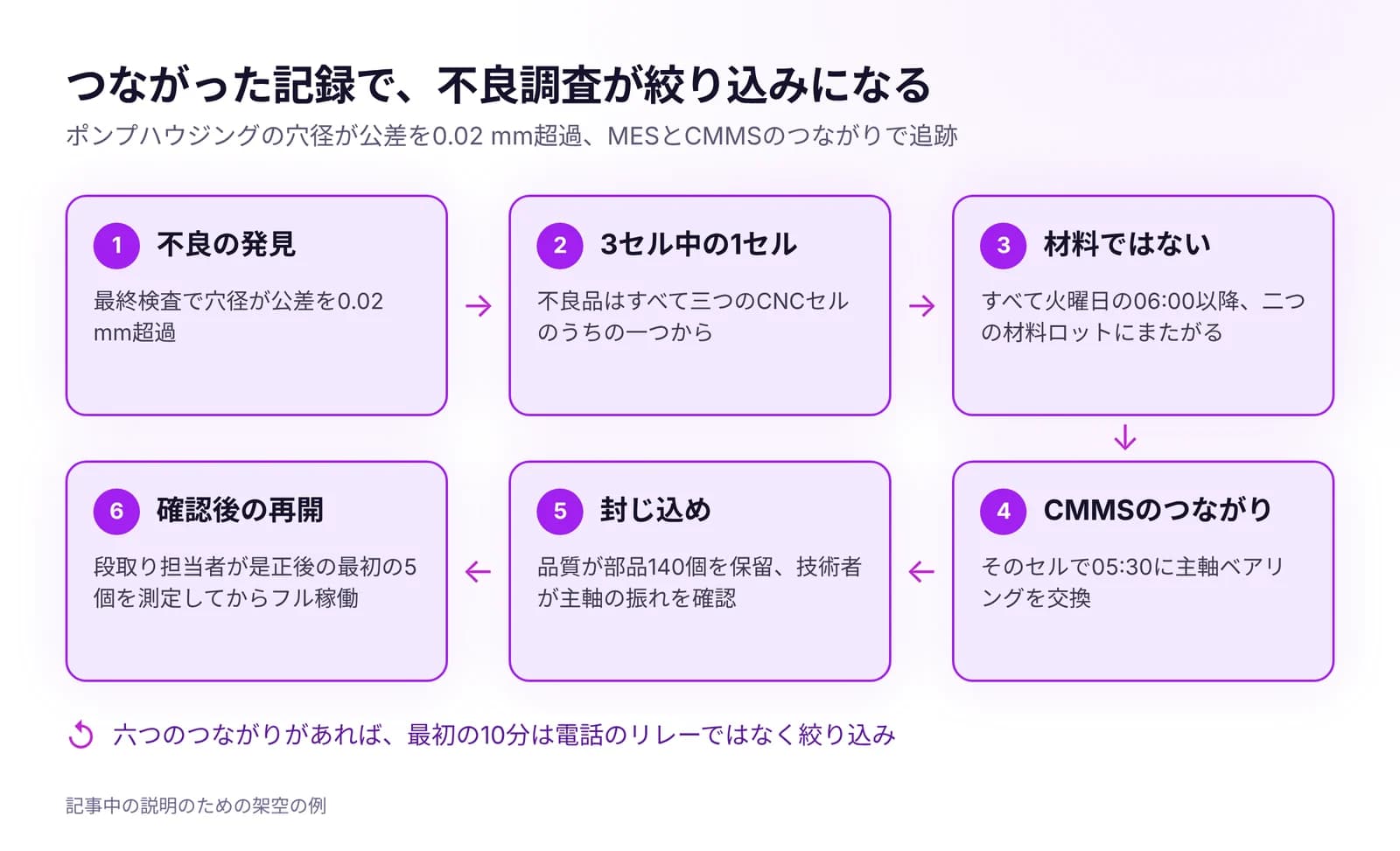 品質問題を生産と保全に結びつける方法すべての不良を製造指図、設備、シフト、材料ロット、直近の保全作業と結び付け、保全を呼ぶルールを決め、是正の効果を確認する方法を解説します。記事を読む · 7分
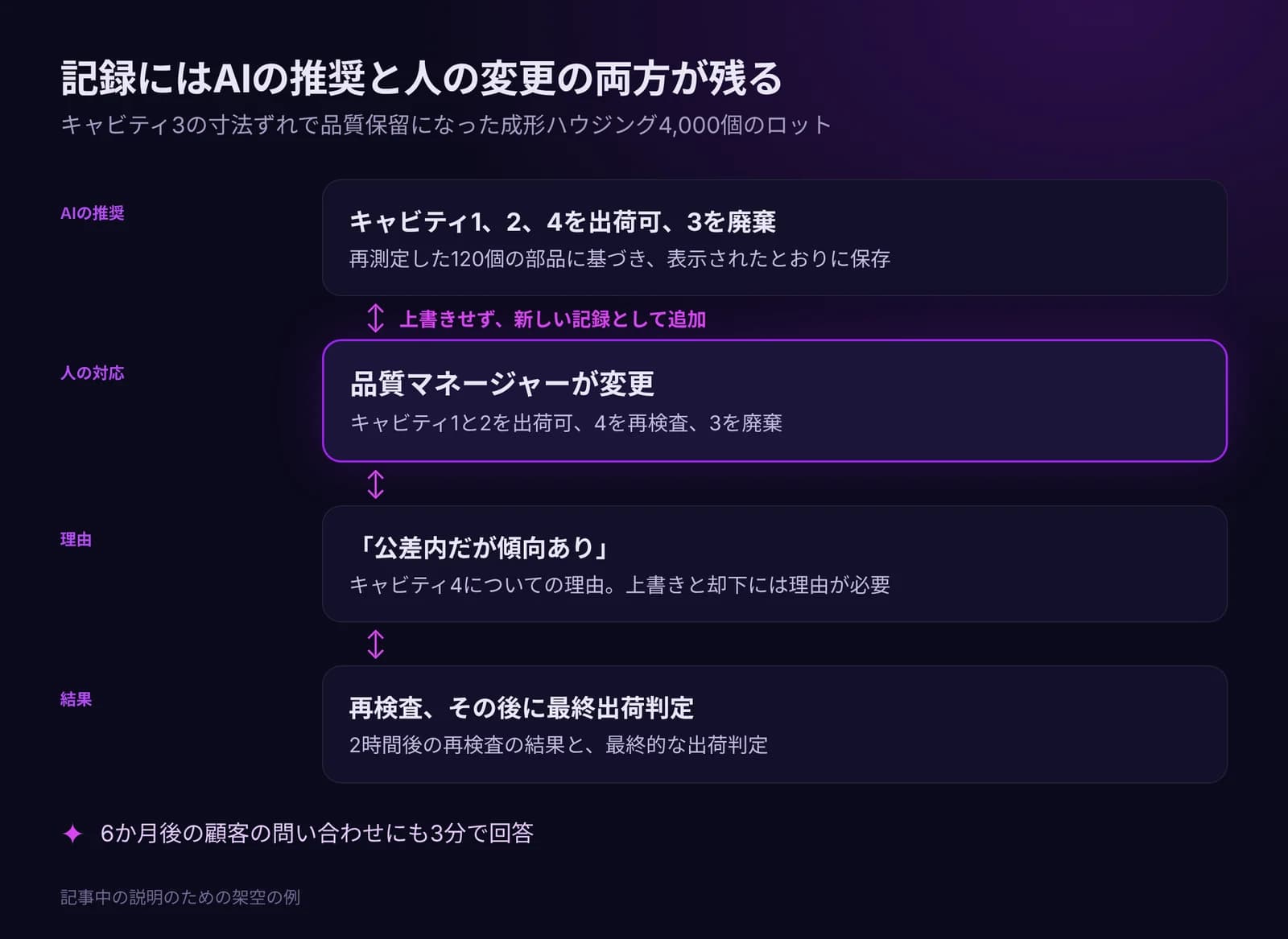
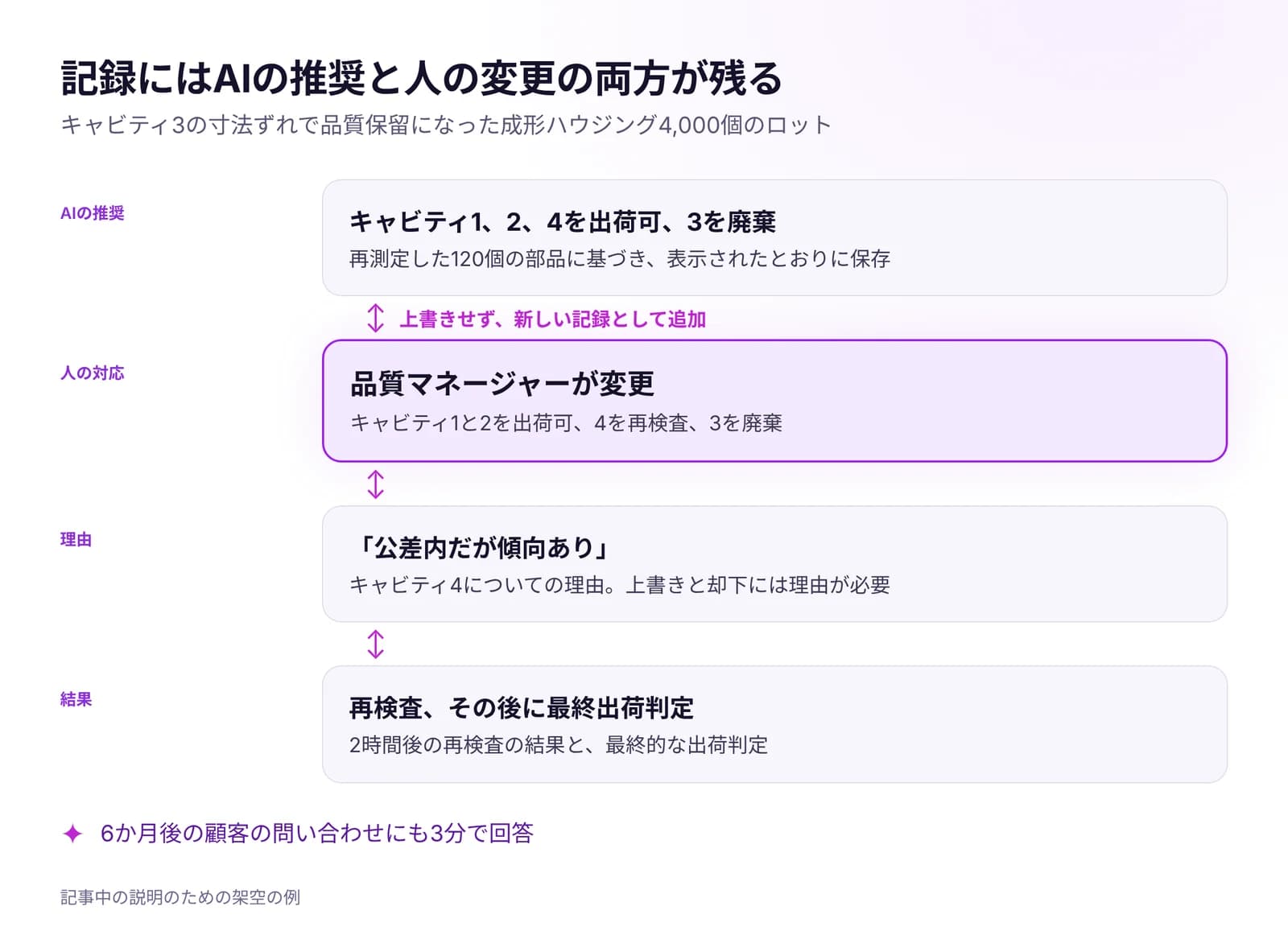 AIを含む工場の判断について、監査に耐える記録を残す方法誰が、いつ、どのデータに基づき、なぜ決めたのか。意思決定記録に必要な項目、AI支援による判断の記録ルール、15分でできる監査テストを解説します。記事を読む · 7分