Production et qualité
Contrôler, traiter et prévenir les problèmes qualité
QMS couvre contrôles, SPC, non-conformités, actions correctives, audits et qualité fournisseurs. Les contrôles en échec et les événements de l'atelier ouvrent automatiquement des non-conformités.
- En coursIN-2207Housing · Lot 5521
- ConformeIN-2206Cover · Lot 5519
- ConformeIN-2205Shaft · Lot 5517
- ConformeIN-2204Bracket · Lot 5514
Ouverte depuis le contrôle IN-2207
- Pourquoi 1
- Bavure sur l'arête
- Pourquoi 2
- Outil de coupe usé
- Cause racine
- Pas de limite d'usure
Un contrôle en cours de fabrication suit un plan approuvé.
Ce qu'il fait
- 01
Non-conformités et CAPA
Les registres NCR et CAPA conservent statuts et historique. Clôturer une NCR ou confirmer une CAPA peut exiger une signature électronique.
- 02
Contrôles et SPC
Contrôles en cours de fabrication et à réception, cartes SPC, études MSA et matrices AQL couvrent mesure et échantillonnage.
- 03
Réclamations, audits et fournisseurs
Chaque réclamation client reçoit un rapport 8D. Les audits suivent des modèles et un programme annuel. Les fournisseurs sont notés et reçoivent des SCAR.
Voir en action
La vidéo est commentée en anglais ; les sous-titres sont disponibles dans le lecteur.
Transcription (en anglais)
This is the NCR board in IRIS QMS. The totals at the top count all reports, then open, under investigation, implementing, verification, closed and overdue. Under them you can filter by status, severity and priority, or search. Use these to narrow the board. The board has one column per stage. Each card shows the report number, severity, priority and date. Click Details to open the full report: root cause analysis, corrective action and related CAPA. Close it when you are done. To move a report forward, click the button on its card, for example Move to Investigating. The card jumps to the next column and the totals update. If you prefer a table, switch to List. It shows the register, and you can export it to Excel or CSV. For the numbers, open the Analysis tab. The quality indicators are here: first pass yield, defects per million opportunities, customer nonconformities and audit findings closure rate. Each shows its current value and its target. That is enough to get started. Next to NCR you will find Deviations, Complaints, CAPA and Stops, so look around there too.
Transcription (en anglais)
When a customer finds the defect, it is already too late. Many plants still track nonconformities on paper, in spreadsheets and in e-mail. Nobody sees the whole picture. IRIS QMS puts every nonconformity on one board, from open to closed. Move a report to the next stage with one click, and everyone sees the new status. The same system tracks the quality indicators: first pass yield, defects per million and customer nonconformities, each against its target. One system, from the shop floor to the audit. Try the free demo at iris dot D B R seventy-seven dot com.
D'où viennent les données
- Saisie manuelle : registres, contrôles, documents, audits et coûts.
- Événements MES : règles SPC enfreintes, défauts opérateur, rebuts au-delà d'un seuil et appels Andon qualité.
- HSE, GEMBA, MES Service et Ingénierie ajoutent constats, contrôles et modifications diffusées.
Fonctionne avec
Bon à savoir
- QMS n'a pas de générateur de rapports. Les rapports périodiques se construisent dans Rapports.
- Les certificats d'étalonnage sont émis dans CMMS. QMS affiche les instruments.
- QMS travaille sur une usine à la fois. Chaque registre montre l'usine où vous travaillez.
Écrans de la démo IRIS
Données d'exemple de l'usine de démonstration IRIS. Cliquez sur un écran pour l'agrandir.
Pour aller plus loin
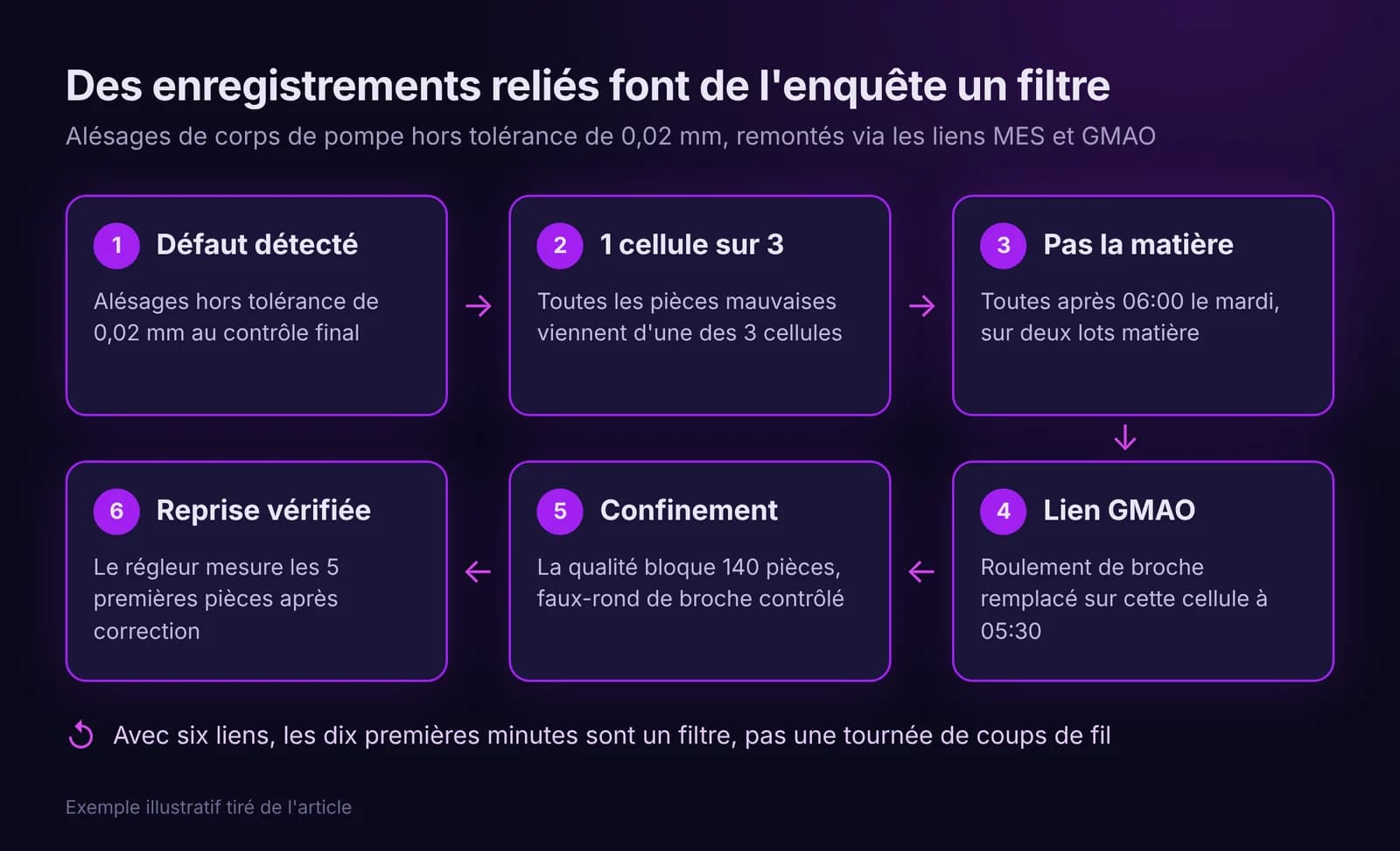
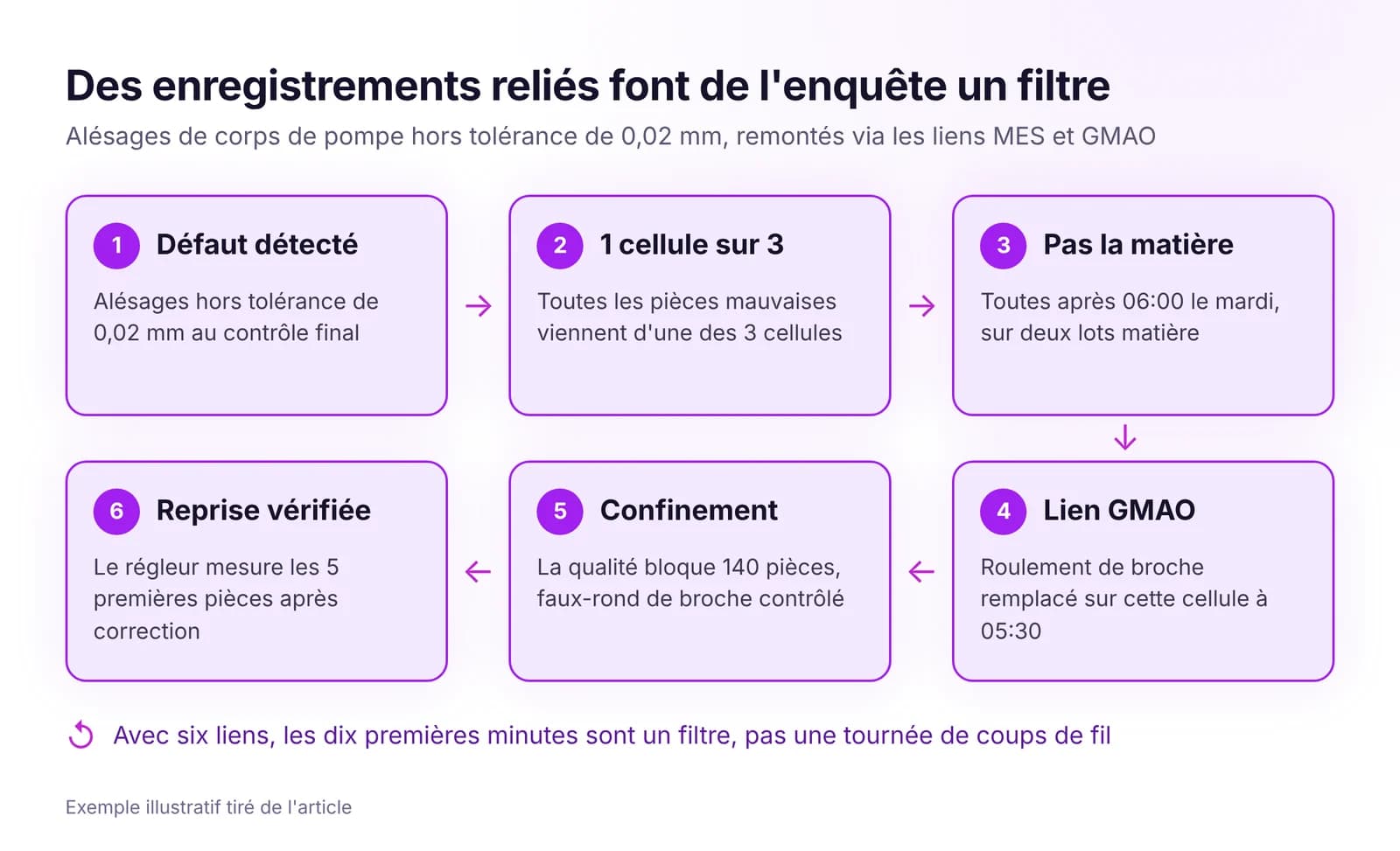 Comment relier les problèmes qualité à la production et à la maintenanceReliez chaque défaut à son ordre, sa machine, son équipe, son lot et sa dernière intervention, fixez les règles d'escalade et vérifiez chaque correction.Lire l'article · 8 min
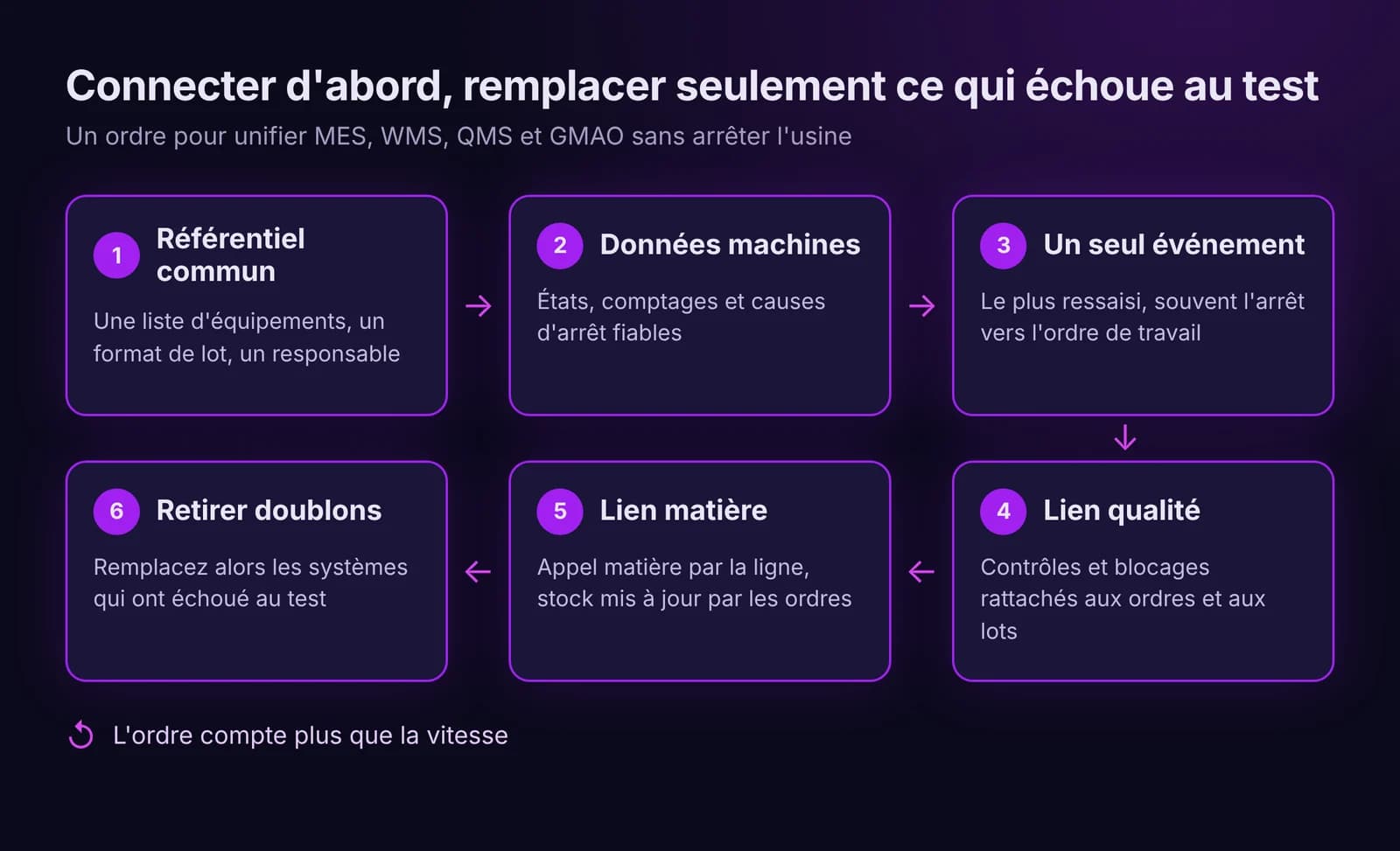
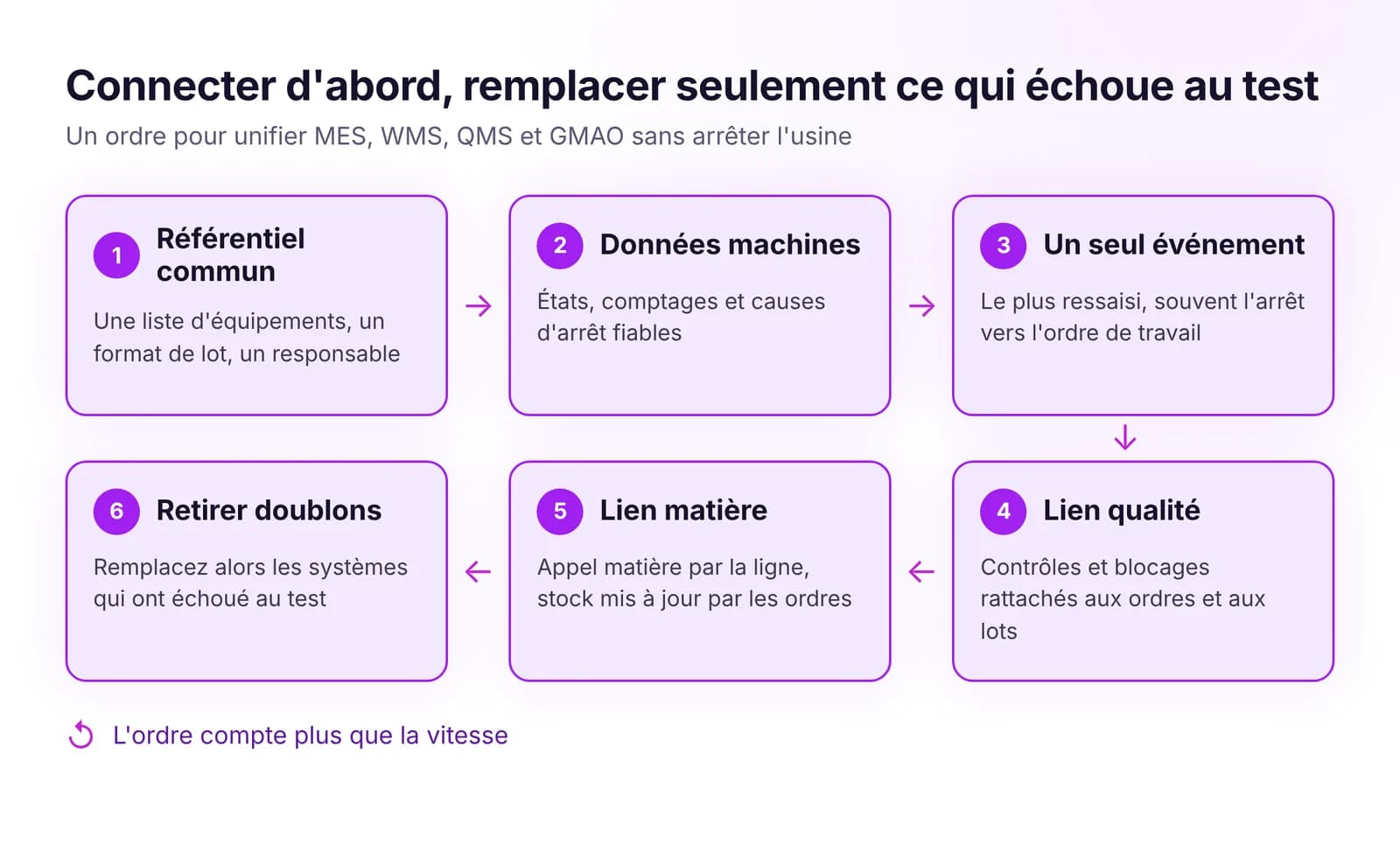 Comment unifier MES, WMS, QMS et GMAO sans tout remplacerUnifiez MES, WMS, QMS et GMAO sans projet big bang : d'abord des données de référence communes, puis les événements clés. On ne remplace que ce qui bloque le flux.Lire l'article · 8 min
Essayez QMS dans IRIS
Lancez un essai de 14 jours sur les données de votre usine, ou ouvrez la démo interactive avec des données d'exemple.