Planificación y materiales
Sigue la mercancía, de recepción a expedición
WMS registra recepción, almacenaje, stock, picking, embalaje y expedición. Cada cambio de stock pasa por un único registro de movimientos.
- ProgramadoRCV-MES-1-2318Desde la orden PO-2318
- HechoAlmacenajePalé 1 a A-03-2
- PickingWave W-123 pedidos · 1 ruta
- EnviadoSH-204Etiqueta GS1
Se crea al terminar la producción.
Caja M elegida
Al terminar la producción se crea un documento de recepción en estado Programado.
Qué hace
- 01
Documentos de recepción y almacenaje
Al terminar la producción se crea un documento de recepción con estado Programado. Luego cada palé se ubica.
- 02
Oleadas, picking y embalaje
Las oleadas agrupan pedidos. El panel del preparador muestra una ruta con paradas, y WMS elige la caja al embalar.
- 03
Etiquetas GS1 y EPCIS
Los SSCC salen del prefijo de empresa. Las recepciones completadas y las expediciones generan eventos EPCIS automáticamente.
Míralo en acción
El vídeo está narrado en inglés; hay subtítulos en el reproductor.
Transcripción (en inglés)
This is the Inventory screen in IRIS WMS. The Stock tab lists every pallet with its SKU, quantity, unit and location. Click a column title to sort, and export the list to Excel or CSV. Next, open Lots and QC holds. Every lot shows its quality status. A held, quarantined or rejected lot drops out of picking until a QC decision releases it. Each lot has three actions: Hold, Release and Reject. Every decision needs a reason and is recorded in the lot history. The other tabs in this group cover movements, transfers, pallets, cycle counts and serial numbers. Goods arrive under Inbound. The Receiving tab lists every delivery with its supplier, warehouse, status and expected date. Use the status filter to narrow the list, and New delivery to register a new one. Goods leave under Outbound. The Picking tab lists the pick lists with their warehouse, strategy and status. Create pick list starts a new one. That is enough to get started. Production Supply and Terminals are worth a look too.
Transcripción (en inglés)
A plan that ignores stock and capacity breaks on day one. When materials, machines and the warehouse are planned apart, the plan stops matching reality. In IRIS MRP, every bill of materials lists its product, version, lines and cost. An MRP run shows its items, planned orders and exceptions. APS lists your resources and their capacity, and shows the load and the bottlenecks. WMS shows the stock, the receiving and the picking in the warehouse. Planning and stock stay on the same plant data. Try the free demo at iris.dbr77.com.
De dónde vienen los datos
- Operarios: recepciones, almacenaje, picking, movimientos y recuentos, en pantalla o en el panel del preparador.
- Eventos de otros módulos: producción de MES, inspecciones de QMS, pedidos de MRP y Procurement.
- Data Bridge aporta zonas RTLS y posiciones de AGV para el mapa en vivo.
Conviene saber
- Etiquetas y seguimiento de transportista: solo en modo de prueba. Conectar un transportista requiere implantación aparte.
- WMS no emite notas de entrega ni sincroniza el stock con un ERP.
- El stock se reserva al crear una lista de picking, no según una lista de materiales.
Pantallas de la demo de IRIS
Datos de ejemplo de la fábrica demo de IRIS. Haz clic en una pantalla para ampliarla.
Más información
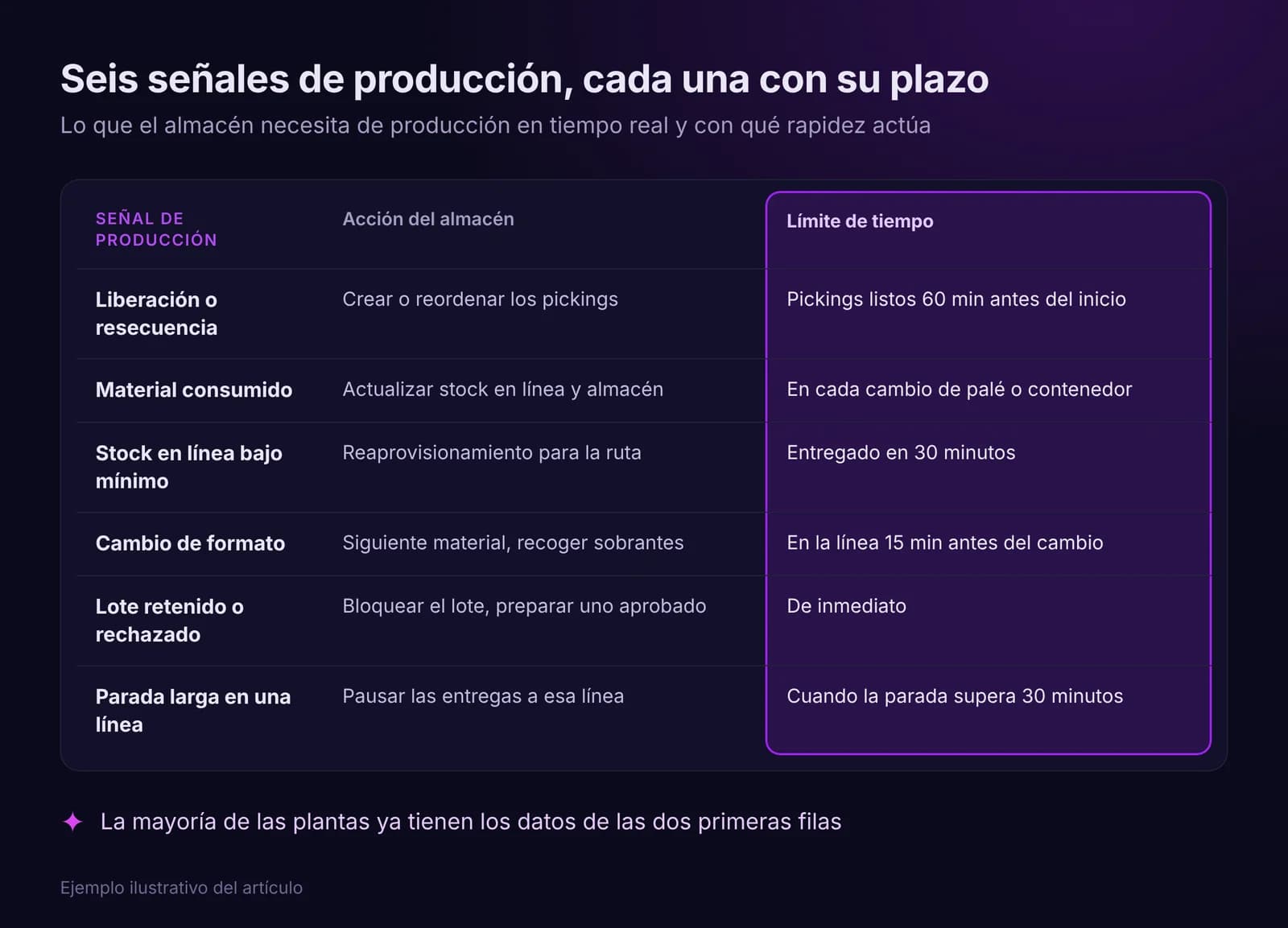
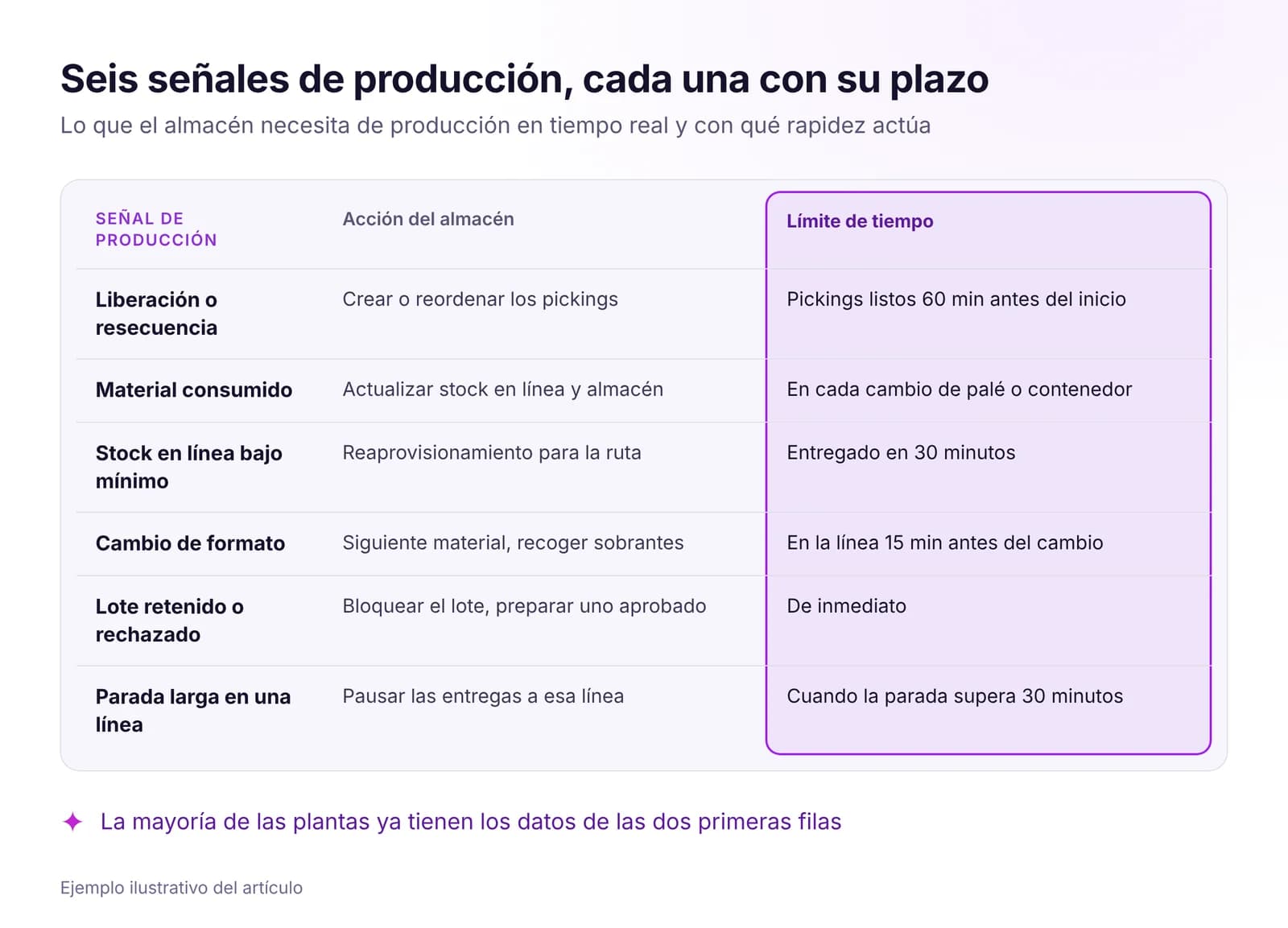 Optimización del almacén y la intralogística con datos en tiempo realLa línea espera material cuando el almacén ve la producción tarde. Qué señales en tiempo real necesita el WMS, cómo abastecer la línea con pull y qué medir.Leer artículo · 8 min
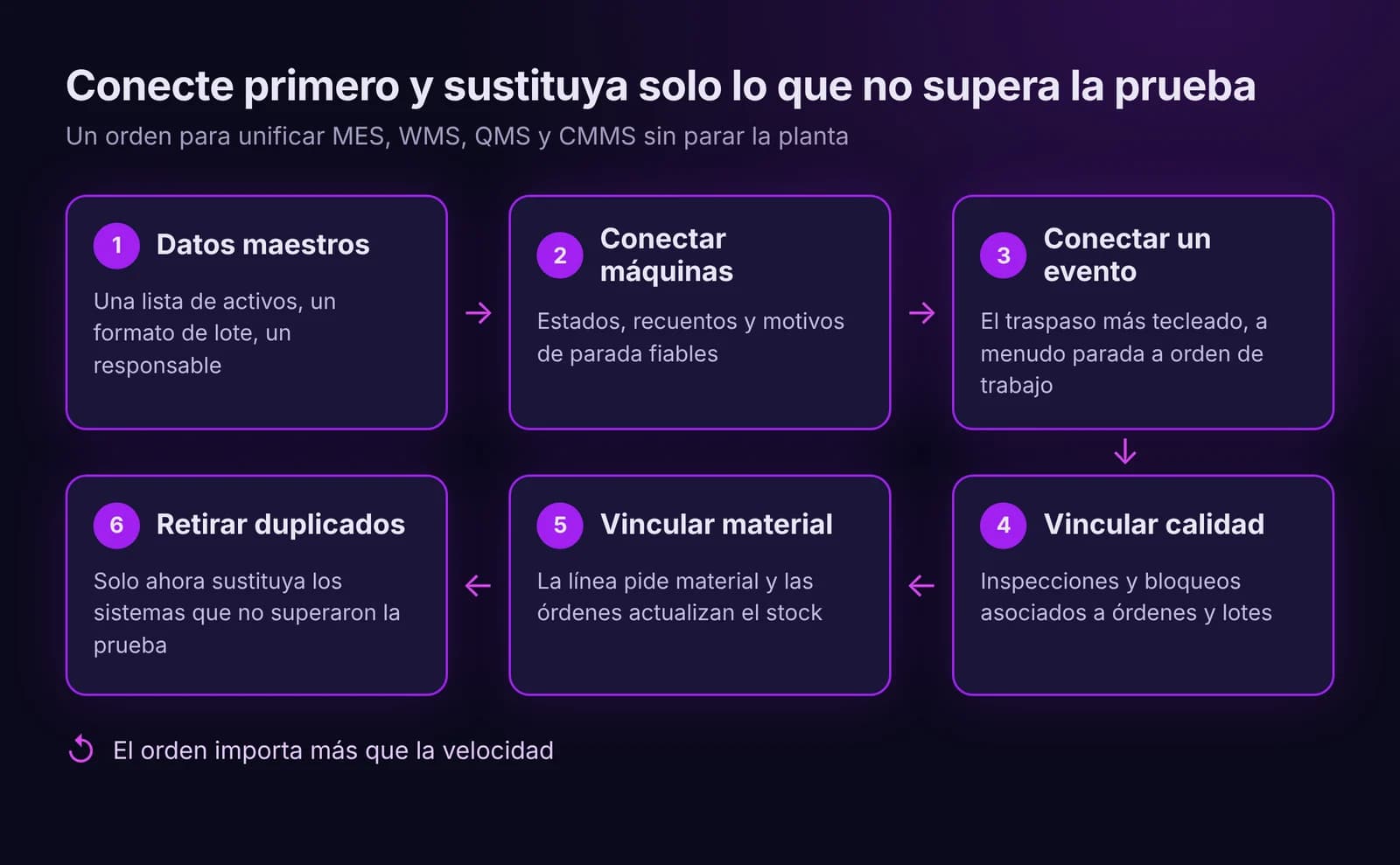
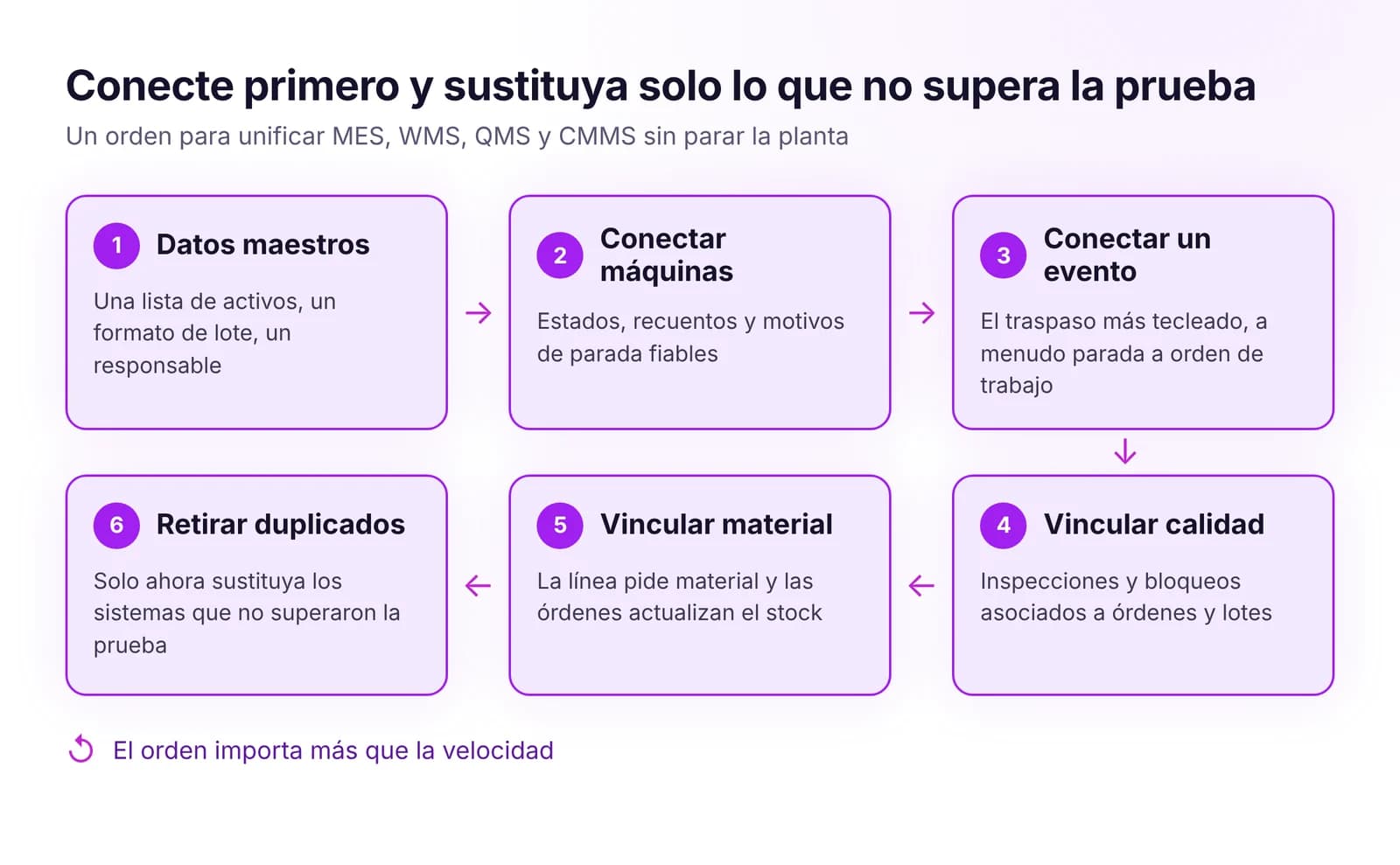 Cómo unificar MES, WMS, QMS y CMMS sin sustituirlo todoUnifique MES, WMS, QMS y CMMS sin un proyecto big bang: primero datos maestros comunes, luego los eventos clave, y sustituya solo el sistema que bloquea el flujo.Leer artículo · 8 min
Prueba WMS en IRIS
Empieza la prueba de 14 días con datos de tu planta o abre la demo interactiva con datos de ejemplo.